Claude Code Best Practices for Teams Running Many Agents
Anthropic's Claude Code best practices, from verification to context management, plus the team layer: shared config, human checkpoints and coordination.
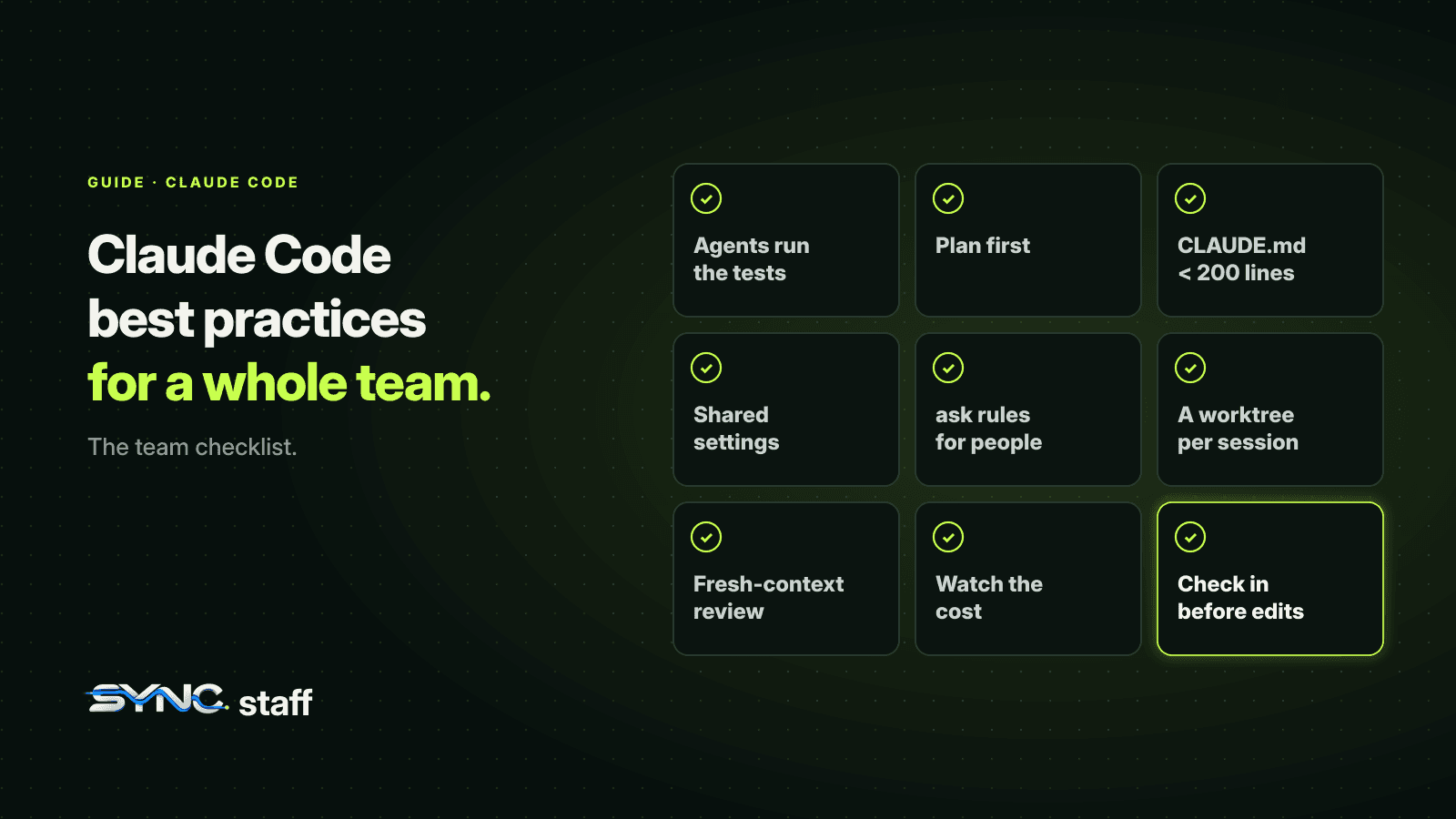
Most Claude Code best practices are written for one developer getting more out of one session. They still apply on a team, but a team adds problems a single developer never has: shared configuration, agents that can't see each other, and decisions that need a person who isn't watching. This guide gathers the practices that matter most, starting with Anthropic's own guidance, then adds the team layer we've learned running between 2 and 15 agents at a time on one repository, with links to a deeper guide for each.
The one constraint behind every best practice
Anthropic's guide starts with a single idea: Claude's context window fills up fast, and performance degrades as it fills. Everything Claude reads, every command output and every message lands in that window, and as it fills, Claude starts forgetting earlier instructions and making more mistakes. Most best practices are ways to keep context small and relevant. Check it with /context or a status line, and treat it as the scarcest resource you have.
1. Give Claude a way to check its own work
Claude stops when the work looks done. Without a check it can run, "looks done" is the only signal, and you become the test suite. Give it something that returns pass or fail: tests, a build, a linter, a screenshot to compare. Then ask for evidence, the test output or the command and its result, rather than an assertion that it works.
How hard the check gates the finish is up to you: in the prompt ("run the tests and fix failures"), as a Stop hook that blocks Claude from finishing until the check passes, or as a second agent reviewing the result. We cover the hook version in Claude Code hooks.
2. Explore, then plan, then code
For anything you couldn't describe in a sentence, separate research from implementation. Use plan mode to have Claude read the code and propose an approach, edit the plan if needed, then let it build against the plan. Skip planning for trivial changes; it's overhead there. Details in Claude Code plan mode.
3. Write specific prompts
Name the file, the scenario, the constraint and what "fixed" looks like. "Add tests for foo.py" invites guessing; "write a test for foo.py covering the logged-out case, avoid mocks" doesn't. Point Claude at existing patterns in your code instead of describing them, reference files with @, and paste the actual error.
4. Keep CLAUDE.md short and true
CLAUDE.md loads into every session, so every line costs context in every conversation. For each line, Anthropic suggests asking: would removing this cause Claude to make mistakes? If not, cut it. Put workflows that matter only sometimes into skills, which load on demand. On a team, the file is shared, so it's also the rulebook every agent reads. See CLAUDE.md best practices for teams.
5. Manage the session actively
- Course-correct early. Press Esc to stop Claude mid-action; press it twice, or run
/rewind, to restore an earlier checkpoint. - Clear between unrelated tasks with
/clear. Long sessions full of irrelevant history perform worse. - Start over after two failed corrections. If you've corrected the same thing twice, the context is full of failed attempts. Clear it and write a better first prompt.
- Use subagents for investigation, so reading dozens of files happens in a separate context and only the summary comes back. See subagents vs agent teams.
6. Avoid the common failure patterns
Anthropic names five: the kitchen-sink session that mixes unrelated tasks; correcting over and over in one polluted context; an over-long CLAUDE.md that buries the rules that matter; trusting plausible code without verification; and unscoped "investigations" that read hundreds of files. Each has the same fix: smaller, clearer context and a check Claude can run.
Best practices for teams
Everything above makes one developer effective. These are the practices a team needs on top.
Share configuration through the repository
Commit the shared .claude/settings.json with the permissions, hooks and environment every agent needs, and keep personal choices in each developer's local or user files. Permission lists merge across files and deny rules win everywhere, which lets a team set hard limits nobody's personal setup can undo. See Claude Code settings for teams.
Decide what reaches a person
Auto mode is now the default starting mode in interactive sessions, so most agents run with a classifier approving actions instead of a person. Decide deliberately which actions must still reach a human, and add ask rules for them; they prompt in every mode. See Claude Code permissions for teams.
Give every parallel session its own worktree
Two sessions in one directory share files. claude --worktree <name> gives each its own copy and branch, and Claude Code blocks edits that reach back into the main checkout. See Claude Code worktrees. A good terminal layout helps you watch them; see Claude Code in tmux.
Use a second model to review
A fresh context reviews better than the one that wrote the code. Anthropic suggests a writer and reviewer pattern with two sessions, or an adversarial review subagent before you call work done. If your team also uses Codex, OpenAI's plugin lets Claude Code ask Codex for that review directly; see the Codex plugin for Claude Code.
Know what it costs
Claude Code averages around $13 per developer per active day across enterprise deployments, according to Anthropic, with wide variation. Agent teams and long sessions push it up. See what Claude Code costs a team.
Coordinate across people, not just sessions
This is the practice no single-developer guide covers, and it's the one that cost us most before we fixed it. My co-founder Nick and I direct agents from Claude Code, Codex and Gemini on the same repository. Worktrees, subagents and agent teams all coordinate inside one person's work. None of them knows what the other person's agents are doing.
Our practice: every agent declares what it's about to change and leases the files before editing, whichever tool it runs on. Between August 3 and October 18, 2026, agents were refused files another agent already held 40 times, and 37 of those moved to other files within a day. Decisions that matter go to one of us before the agent proceeds; we answered 356 of the 568 escalated in that period.
A team checklist
- Every agent can run the tests, and is told to.
- Non-trivial changes start in plan mode.
- CLAUDE.md is under 200 lines, shared, and reviewed when rules change.
- Shared settings hold permissions, hooks and env; personal settings stay local.
- Actions that must reach a person have
askrules. - Parallel sessions run in their own worktrees.
- Important changes get a review from a fresh context or a second model.
- Someone watches cost per developer.
- Every agent, from every tool and every teammate, checks in before it edits.
Patterns for scaling up
Once one session works well, Anthropic's guide describes three ways to get more out of Claude Code:
| Pattern | How | Good for |
|---|---|---|
| Writer and reviewer | One session implements; a second, fresh session reviews the diff; the first fixes what the second found | Catching what the author's context is blind to |
| Fan-out | /batch <instruction> splits a change across 5 to 30 subagents, each in its own worktree, or a script loops over claude -p per file |
Large migrations and repetitive changes |
| Non-interactive runs | claude -p "prompt" with --output-format json |
CI, pre-commit checks, scripts |
For unattended runs, pre-approve exactly what the job needs with --allowedTools, and use --permission-mode dontAsk so anything else is denied rather than left waiting for a prompt nobody will answer. Test a fan-out on two or three files before running it on two thousand; the first few results tell you what the prompt is missing.
Add an adversarial review before calling long unattended work done. A reviewer in a fresh subagent sees only the diff and the criteria, not the reasoning that produced it. Tell it to report only gaps that affect correctness or the stated requirements, because a reviewer asked to find problems will always find some, and chasing every one leads to over-engineering.
Best practices scale one developer; coordination scales a team
Anthropic's best practices make each session sharper: verification, planning, specific prompts and a clean context. Teams need two more things on top: shared configuration, and a way for everyone's agents to know what everyone else's are changing. That second part is what SyncStaff does: agents from any tool declare their changes and lease the files first, conflicts are caught before work starts, and the decisions that matter reach a person.
Sources: Claude Code best practices, Manage Claude Code costs.
Frequently asked questions
What are the most important Claude Code best practices?
Give Claude a way to verify its work, such as tests it can run. Explore and plan before coding anything non-trivial. Write specific prompts that name files and constraints. Keep CLAUDE.md short. Clear context between unrelated tasks, and start fresh after two failed corrections rather than piling on more.
Why does context matter so much in Claude Code?
Claude's context window holds the whole conversation, every file read and every command output, and performance degrades as it fills: Claude forgets earlier instructions and makes more mistakes. Most best practices, such as /clear between tasks, subagents for investigation and a short CLAUDE.md, exist to keep context small and relevant.
What are Claude Code best practices for teams?
Commit shared settings with permissions and hooks, keep CLAUDE.md shared and short, add ask rules for actions a person must approve, run each parallel session in its own worktree, review important changes from a fresh context or second model, watch cost per developer, and coordinate agents across people, not just sessions.
How do I run several Claude Code sessions at once?
Give each session its own worktree with claude --worktree <name>, so edits can't collide while they work. Watch them with a terminal layout such as tmux or with agent view. For sessions that need to collaborate, use subagents or agent teams, and coordinate across teammates so two people's agents don't take the same files.