Claude Code Settings for Teams: What to Commit and Enforce
Where each Claude Code setting belongs, how the files combine, what a team should commit, and the few settings worth enforcing with managed settings.
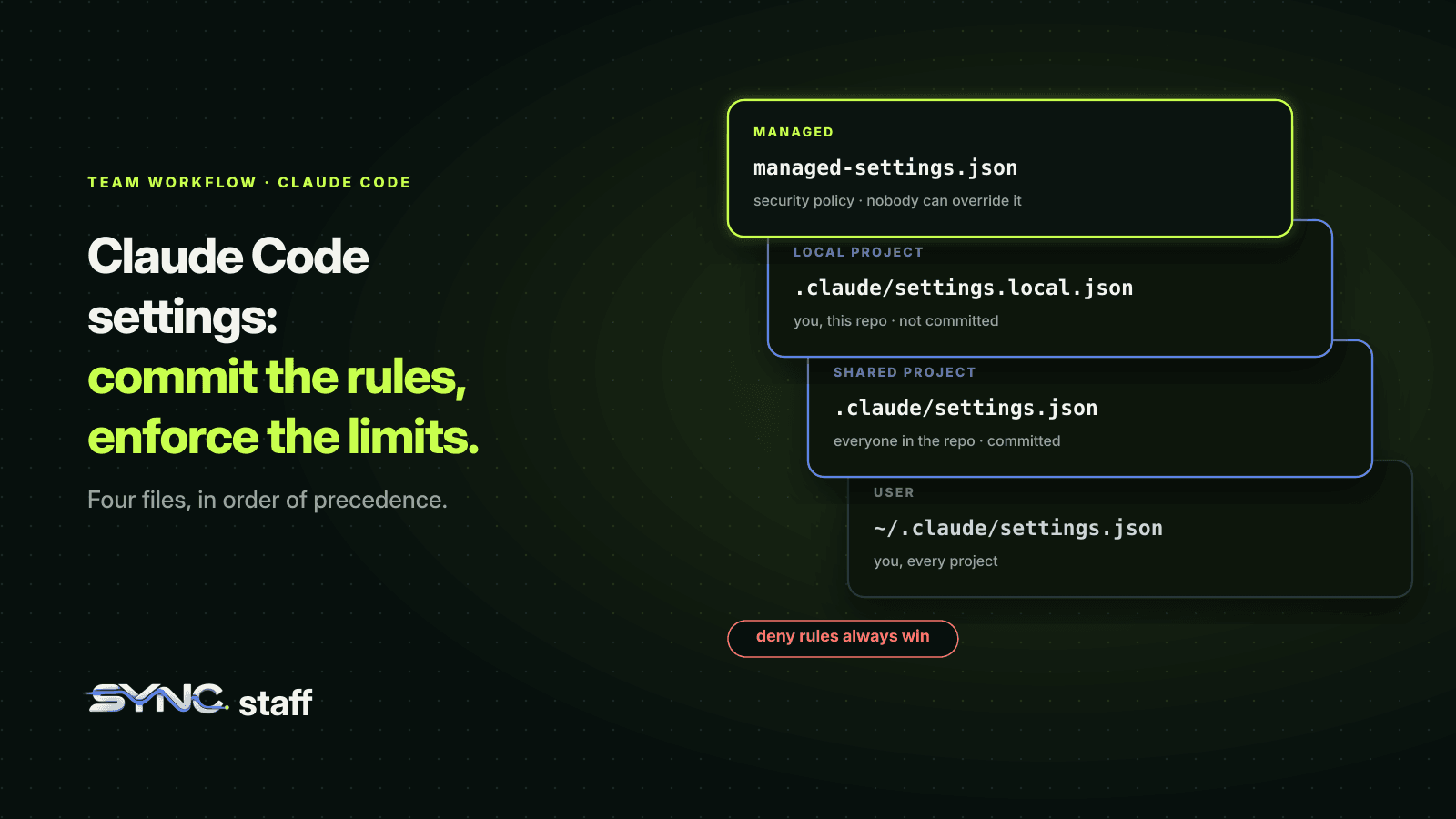
Claude Code settings decide what every agent on your team may do without asking: which commands run, which files are off limits, which hooks fire before an edit. For one developer they're a preference file. For a team running many agents, they're policy, and they're split across four files plus whatever your organisation enforces. This guide covers which file each setting belongs in, how they combine, what to commit, and the few settings worth enforcing centrally, with the shared settings file we actually run.
Where do Claude Code settings live?
Claude Code reads settings from four places: your user file, the project's shared file, your local project file, and managed settings deployed by your organisation. Each has a different reach. When the same key appears in more than one, the highest level wins, except permission lists, which combine. Run /config to change settings interactively, or edit the JSON files directly.
| Scope | File | Who it affects | Use it for |
|---|---|---|---|
| Managed | managed-settings.json, MDM policy, or the claude.ai admin console |
Everyone your organisation deploys it to | Security policy and compliance |
| Shared project | .claude/settings.json, committed |
Everyone working in the repository | Team permissions, hooks, plugins, project env vars |
| Local project | .claude/settings.local.json, not committed |
You, in this repository | Personal overrides, trying a setting before sharing it |
| User | ~/.claude/settings.json |
You, in every project | Theme, editor mode, default model, your own rules |
For a team, two of these matter most: the shared project file, which every teammate's agent reads through Git, and managed settings, which nobody on the team can override.
How settings combine
Precedence runs top to bottom: managed settings, then anything passed with claude --settings, then the local project file, then the shared project file, then the user file. A key set higher overrides the same key lower down.
Two rules make this safer than it sounds:
- Lists merge instead of overriding. If
permissions.allowappears in your user file and the project file, Claude Code combines both lists. Nobody's file silently erases someone else's rules. - Deny always wins. Permission rules are evaluated deny first, then ask, then allow, across every scope. A deny in any file blocks the action, even if another file allows it. A user-level deny blocks a project-level allow, and a managed deny can't be overridden by anything, including command-line flags.
The second rule is the one to build on. It means a team can put its hard limits in the shared file as deny rules, and no individual setup can quietly undo them.
What a team should commit
The shared .claude/settings.json is where a team's agents get their common behaviour. Ours is short. It holds three hooks and two environment variables that point agents at our server:
- a SessionStart hook that registers each new agent session with our coordination server
- a PreToolUse hook on
Edit|Write|MultiEdit|NotebookEdit, which checks with the server that the agent holds a lease on the file before any edit goes through - a SessionEnd hook that deregisters it when the session ends
That PreToolUse hook does the work that matters. My co-founder Nick and I run between 2 and 15 agents at once across Claude Code, Codex and Gemini, and the rule "don't edit a file another agent is changing" can't depend on each agent remembering it. Because the hook lives in the committed file, every Claude Code session anyone starts in the repository gets it automatically.
A good team file usually looks something like this:
{
  "permissions": {
    "allow": [
      "Bash(npm test *)",
      "Bash(npm run lint)",
      "Bash(git status)",
      "Bash(git diff *)"
    ],
    "ask": [
      "Bash(git push *)"
    ],
    "deny": [
      "Read(./.env)",
      "Read(./secrets/**)",
      "Bash(rm -rf *)"
    ]
  },
  "hooks": {
    "PreToolUse": [
      {
        "matcher": "Edit|Write",
        "hooks": [
          { "type": "command", "command": "python3 \"$CLAUDE_PROJECT_DIR\"/.claude/hooks/enforce-ownership.py" }
        ]
      }
    ]
  },
  "env": {
    "NODE_ENV": "development"
  }
}
- Allow the commands every agent needs constantly, so nobody drowns in prompts.
- Ask before anything that leaves the machine or can't be undone, like a push.
- Deny what no agent should ever touch: secrets, credentials, destructive commands.
- Hooks for the rules that need code to enforce them. The ownership hook above is the one we tested with Claude Code agent teams in what breaks when teammates collide.
Permission rules teams get wrong
A few details in the rule syntax trip up almost every team the first time:
- A bare tool name removes the tool.
"deny": ["Bash"]doesn't just block commands, it takes the Bash tool out of Claude's context entirely. A scoped rule likeBash(rm *)leaves the tool available and blocks only matching calls. - An allow can't carve an exception out of a deny. A deny on
Bash(aws *)blocksaws s3 lseven if another rule allows exactly that command. Specificity doesn't change the order: deny, then ask, then allow. - Ask beats allow too. If a command matches both an ask rule and a more specific allow rule, Claude Code still asks.
- Rules are enforced by Claude Code, not the model. Writing "never read .env" in CLAUDE.md shapes what Claude tries to do. A
Read(./.env)deny rule is what actually stops it. For modes, auto mode and human checkpoints, see Claude Code permissions for teams.
Decide your team's starting permission mode
Since Claude Code v2.1.283, auto mode is the built-in starting mode for interactive terminal and VS Code sessions. In auto mode, a classifier model reviews actions like shell commands and network requests instead of asking you, so routine work runs without prompts. That's a sensible default for one developer. For a team, it's a decision worth making on purpose rather than inheriting.
Set it deliberately, with one catch the documentation spells out: defaultMode: "auto" doesn't take effect from project or local settings files, only from each developer's ~/.claude/settings.json. So a team that wants auto mode relies on the built-in default or on each person's user settings, while default (labelled Manual) and plan can be set for everyone in the shared file with permissions.defaultMode. Choose Manual if you'd rather every agent ask before edits and commands. Whichever you choose, put ask rules on the actions that should always reach a person. In auto mode those still prompt, which makes them the simplest human checkpoint you can add. To cut prompts without loosening your rules, turn on the Claude Code sandbox, and see Claude Code best practices for teams for how settings fit with the rest of a team's setup.
What not to commit
- Personal choices. Your preferred model, theme and editor mode go in your user file or
.claude/settings.local.json. Instructions follow the same split; see CLAUDE.md best practices for teams. - "Don't ask again" approvals. When you approve a Bash command permanently, Claude Code saves that rule to
.claude/settings.local.json, not the shared file. It also keeps the local file out of your commits by adding it to your global Git excludes the first time it writes one. If you create the local file by hand, add it to.gitignoreyourself. - Secrets.
envvalues in a committed file are visible to everyone with the repository.
Which settings should an organisation enforce?
Managed settings sit above everything, and nothing in a developer's own files can override a managed key. They're delivered as a managed-settings.json file in a system directory, an MDM or OS policy, or server-managed settings from the claude.ai admin console. To see whether your organisation manages yours, run /status and check the Setting sources line.
Keep the managed layer small. The settings that belong there are the ones where one developer's exception becomes everyone's risk:
| Setting | What it does |
|---|---|
permissions.disableBypassPermissionsMode |
Stops anyone starting a session that skips all permission checks |
permissions.disableAutoMode |
Turns off auto mode, where a classifier approves actions instead of a person |
allowManagedPermissionRulesOnly |
Makes managed settings the only source of permission rules |
availableModels |
Limits which models anyone can choose |
| Managed deny rules | Blocks paths or commands everywhere, and no flag can re-allow them |
Everything else, like which test command to allow, belongs in the project file, where the people who know the codebase can change it in a pull request.
One managed-settings detail catches teams: a managed model is only a starting default, not a lock. To restrict models, use availableModels or deniedModels.
How to roll settings out to a team
- Start in your local file. Try a rule in
.claude/settings.local.jsonfor a few days before sharing it. - Move it to the shared file in a pull request, so the team reviews permission changes the same way it reviews code.
- Put hard limits in deny rules, which no other scope can undo.
- Enforce only what must hold everywhere through managed settings, and keep that list short.
- Check what's active with
/permissions, which lists every rule and the file it came from, and/statusfor the managed source.
Settings cover one tool; your team uses several
Claude Code settings are well designed for what they control: every Claude Code session in the repository. But they stop at Claude Code. Your teammate's Codex session doesn't read .claude/settings.json, and neither does Gemini CLI. In a repository where people switch tools depending on the job, as we do, the rules that matter have to hold for every agent, whatever it runs on. That's the layer SyncStaff adds: one set of rules about who may change what, checked before every edit from any tool, with a person deciding the cases that matter.
Sources: Claude Code settings documentation, Claude Code permissions documentation.
Frequently asked questions
How do I configure Claude Code settings?
Run /config to change settings interactively, or edit the JSON files directly: ~/.claude/settings.json for you in every project, .claude/settings.json for everyone in a repository, and .claude/settings.local.json for your own overrides in one repository. Run /permissions to see every permission rule and which file it came from.
Which Claude Code settings file wins?
The highest level that sets a key wins: managed settings first, then claude --settings, then .claude/settings.local.json, then the shared .claude/settings.json, then your user file. Permission lists merge across files instead of overriding, and a deny rule in any file blocks the action even when another file allows it.
Should .claude/settings.json be committed?
Yes. The shared .claude/settings.json is meant to be committed so every teammate's agent gets the same permissions, hooks and environment. Keep personal choices and permanent approvals in .claude/settings.local.json, which Claude Code keeps out of Git, and never put secrets in a committed env block.
What are Claude Code managed settings?
Managed settings are organisation-wide settings delivered by a managed-settings.json file, an MDM policy, or the claude.ai admin console. Nothing in a developer's own files can override them. Use them sparingly, for policy such as disabling bypass mode, restricting models, or denying access to sensitive paths everywhere.