Claude Code Hooks: Guardrails That Always Run
How Claude Code hooks work, the events worth knowing, five hooks every team should commit, and the fail-closed preflight hook we run on every agent.
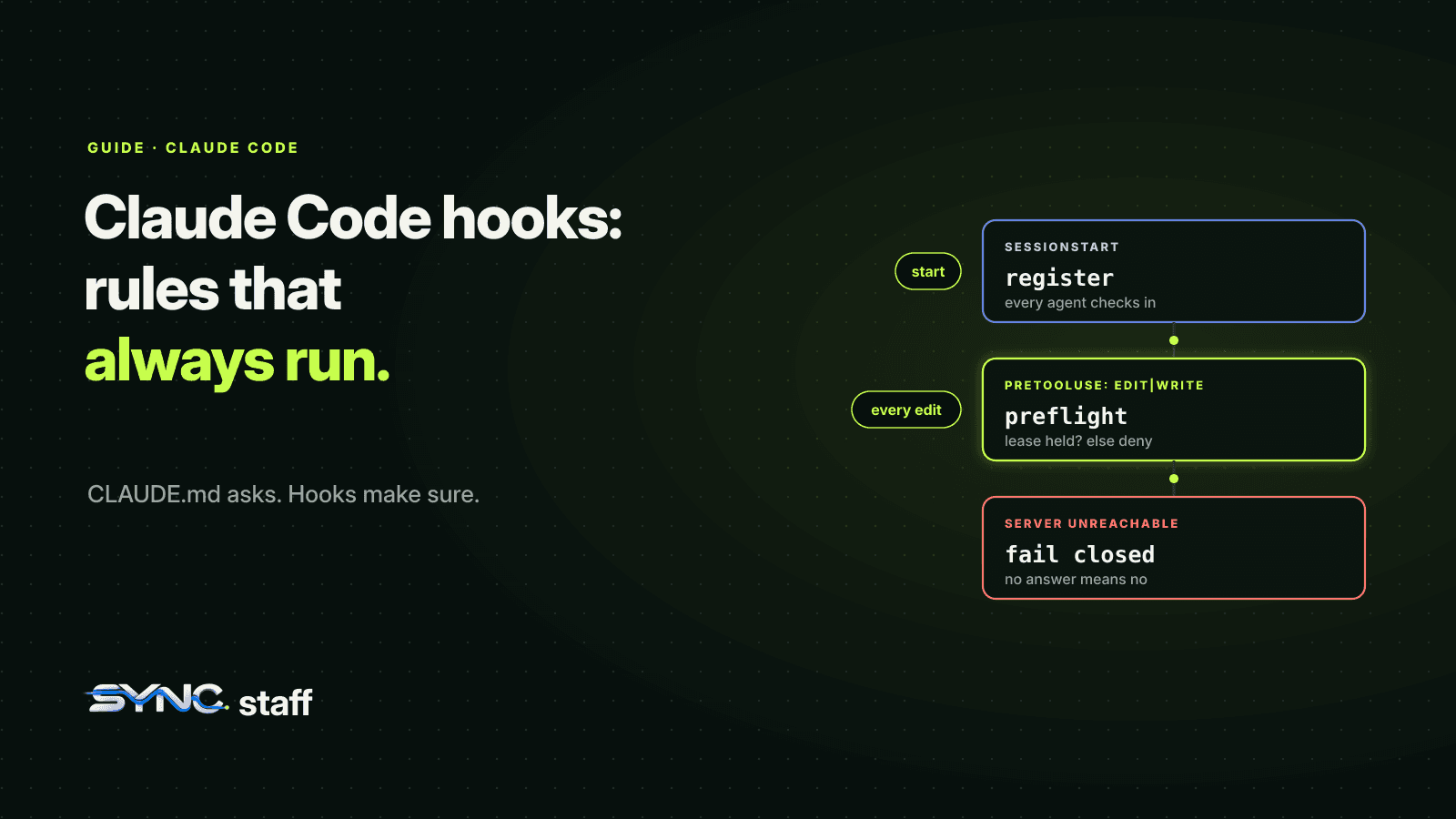
Claude Code hooks are shell commands that run automatically at fixed points in a session: before a tool call, after an edit, when Claude finishes, when a session starts. They're the difference between asking an agent to follow a rule and making sure it does. Instructions in CLAUDE.md are advice the model weighs; a hook runs every time. This guide covers how hooks work, the events worth knowing, five hooks that earn their place on a team, and the three we run on every agent in our own repository.
What are Claude Code hooks?
Hooks are user-defined commands that Claude Code runs at specific points in its lifecycle. They give you deterministic control: certain actions always happen, rather than depending on Claude choosing to do them. A hook can format code after every edit, block an edit to a protected file, send a notification when Claude needs you, or refuse to let Claude stop until the tests pass.
Anthropic's best-practices guide puts the distinction plainly: unlike CLAUDE.md instructions, which are advisory, hooks are deterministic and guarantee the action happens. Use hooks for anything that must happen every time with zero exceptions.
How to configure a hook
Hooks live in a hooks block in any settings file: ~/.claude/settings.json for you, the shared .claude/settings.json for everyone in the repository. Each entry names an event, an optional matcher, and the command to run:
{
  "hooks": {
    "PostToolUse": [
      {
        "matcher": "Edit|Write",
        "hooks": [
          { "type": "command", "command": "jq -r '.tool_input.file_path' | xargs npx prettier --write" }
        ]
      }
    ]
  }
}
The hook receives a JSON description of the event on standard input: the session, the working directory, the tool name and its input. Matchers filter by tool name for tool events, so Edit|Write runs only for those two tools. Run /hooks in a session to see what's configured.
How a hook allows or blocks
What a hook returns decides what happens next:
- Exit code 0 with no output: no decision, so the action continues through the normal permission flow.
- Exit code 2: a blocking result. For
PreToolUseit blocks the tool call, and the hook's error output goes back to Claude so it knows why. - JSON output for finer control. A
PreToolUsehook can print apermissionDecisionofallow,deny,askordefer, with apermissionDecisionReasonClaude will see.
{
  "hookSpecificOutput": {
    "hookEventName": "PreToolUse",
    "permissionDecision": "deny",
    "permissionDecisionReason": "migrations/ is read-only; ask a human"
  }
}
The hook events worth knowing
| Event | When it runs | Useful for |
|---|---|---|
SessionStart |
A session begins or resumes | Registering the session, loading context |
UserPromptSubmit |
Before Claude processes a prompt | Adding context, blocking unsafe prompts |
PreToolUse |
Before a tool call; can block it | Protecting files, enforcing ownership |
PostToolUse |
After a tool call succeeds | Formatting, linting, logging |
Notification |
Claude Code sends a notification | A sound or message when Claude needs you |
Stop |
Claude finishes responding | Refusing to stop until checks pass |
SubagentStop |
A subagent finishes | Checking a subagent's result |
TaskCreated, TaskCompleted |
Agent team tasks are created or completed | Quality gates for teammates |
TeammateIdle |
A teammate is about to go idle | Keeping a teammate working |
PreCompact |
Before context compaction | Saving state before history is summarised |
SessionEnd |
A session ends | Cleanup, releasing claims |
There are more, including PermissionRequest, WorktreeCreate, ConfigChange and FileChanged; the hooks reference lists all of them.
Five hooks worth committing for a team
Format after every edit. The
PostToolUseexample above runs your formatter on each file Claude writes, so formatting never shows up in review again.Protect files nobody should edit. A
PreToolUsehook onEdit|Writethat denies paths likemigrations/,.envor generated code. A permission deny rule does this for simple paths; a hook can apply logic, like allowing edits only on certain branches.Keep teammates in their own directories. For Claude Code agent teams, a
PreToolUsehook can map each teammate's name to the paths it owns and deny everything else. We tested exactly this with two teammates: the one editing outside its directory was refused with the hook's message. The script is in what breaks when Claude Code agent teams collide.Don't let Claude stop with failing tests. A
Stophook that runs your test command and exits 2 on failure keeps Claude working until the check passes. OpenAI's Codex plugin uses the same idea for its review gate, with a Codex review as the check; see the Codex plugin for Claude Code. For how hooks fit with the rest of a team's setup, see Claude Code best practices for teams.Get notified when Claude needs you. A
Notificationhook that plays a sound or sends a message, so a waiting agent doesn't sit idle while you're in another window. It matters most when you run several agents at once, as we describe in Claude Code in tmux.
The three hooks on every agent in our repository
Our shared .claude/settings.json has three hooks, and every Claude Code session anyone starts in the repository gets them:
SessionStartregisters the session with our coordination server.PreToolUseonEdit|Write|MultiEdit|NotebookEditruns a preflight check before every edit: does this agent hold a lease on this file?SessionEndderegisters the session.
The preflight hook is the one that matters. My co-founder Nick and I run between 2 and 15 agents at a time across Claude Code, Codex and Gemini, so "don't edit what another agent is changing" can't be left to each agent's memory. The hook is fail-closed: if it can't confirm the edit is clear, the edit doesn't happen. We've seen it do exactly that. While an agent was building pages for this website, one of its edits was blocked because the coordination server was briefly unreachable, and the hook refused rather than guessed. That's the behaviour you want from a safety check: an unreachable checker means no, not yes.
Hooks and worktrees
When a session runs in a worktree, ${CLAUDE_PROJECT_DIR} keeps pointing at the project root where the session started, so a hook command like ${CLAUDE_PROJECT_DIR}/.claude/hooks/check.sh still runs the script from the main checkout. The cwd field in the hook's input follows Claude into the worktree. A hook that needs to know where Claude is actually working should read cwd. We cover worktree sessions in Claude Code worktrees.
Hook safety
Hooks run with your full access. They run outside Claude Code's Bash sandbox, so a hook can read and write anything you can. Treat hooks in a repository like any other code that runs on your machine: review them before trusting the folder, keep them short, and prefer calling a script you can read over a long one-line command. Hooks that call external services should fail safe, as our preflight does.
A protected-files hook you can copy
This PreToolUse hook denies edits to paths a team never wants an agent to change. Save it as .claude/hooks/protect-files.py:
#!/usr/bin/env python3
import json, os, sys

PROTECTED = ("db/migrations/", ".env", "generated/")

event = json.load(sys.stdin)
path = (event.get("tool_input") or {}).get("file_path") or ""
root = event.get("cwd") or os.getcwd()
rel = os.path.relpath(os.path.realpath(path), os.path.realpath(root)) if path else ""
if any(rel == p.rstrip("/") or (p.endswith("/") and rel.startswith(p)) for p in PROTECTED):
    print(json.dumps({"hookSpecificOutput": {
        "hookEventName": "PreToolUse",
        "permissionDecision": "deny",
        "permissionDecisionReason": f"{rel} is protected; ask a person to change it."}}))
Register it for Edit|Write in .claude/settings.json, using "$CLAUDE_PROJECT_DIR"/.claude/hooks/protect-files.py as the command so it works from any directory. Entries ending in / protect a whole directory; others match one exact file, so .env doesn't also catch .envrc. It resolves ../ tricks before checking, and explains the refusal to Claude, so Claude asks instead of retrying.
Debugging hooks
If a hook doesn't seem to run, start with /hooks to confirm Claude Code loaded it under the event you expected. Check the matcher: Edit|Write won't match MultiEdit or NotebookEdit unless you add them. Test the script by piping a sample event into it from your shell, and check its exit code. For a closer look, start Claude Code with claude --debug-file ./claude-debug.txt and read the log after the hook should have fired.
Hooks make rules real
Hooks turn "please" into "always". Format after edits, protect what must not change, keep teammates in their lanes, and refuse to stop until the checks pass. On a team, commit them so every agent gets them. Then accept their limit: a hook sees one Claude Code session, and your teammates' Codex and Gemini sessions don't run your Claude hooks. SyncStaff applies the same check to every agent: whatever tool it runs on, each agent declares its change and leases the files before editing, and the cases that matter reach a person.
Sources: Automate actions with hooks, Claude Code hooks reference, Claude Code best practices.
Frequently asked questions
What are Claude Code hooks?
Hooks are shell commands Claude Code runs automatically at fixed points in a session, such as before a tool call, after an edit, when Claude stops or when a session starts. Unlike CLAUDE.md instructions, which are advice, hooks always run, so they can format code, block edits or enforce checks every time.
How do I add a hook in Claude Code?
Add a hooks block to a settings file: ~/.claude/settings.json for yourself or .claude/settings.json for the whole repository. Each entry names an event such as PostToolUse, an optional matcher such as Edit|Write, and the command to run. Run /hooks in a session to see what's configured.
How does a Claude Code hook block an action?
A PreToolUse hook blocks a tool call by exiting with code 2, which also sends its error output back to Claude, or by printing JSON with a permissionDecision of deny and a reason. Exiting 0 with no output means no decision, so the normal permission flow continues.
What are the best hooks for Claude Code?
For teams: format code after every edit, block edits to protected files, keep agent-team teammates inside their own directories, refuse to let Claude stop while tests fail, and send a notification when Claude needs you. Commit them in the shared settings file so every agent in the repository gets them.