Claude Code Subagents vs Agent Teams: Which to Use
How Claude Code subagents work, how they differ from agent teams, and what happened when two subagents edited the same line, shared and in worktrees.
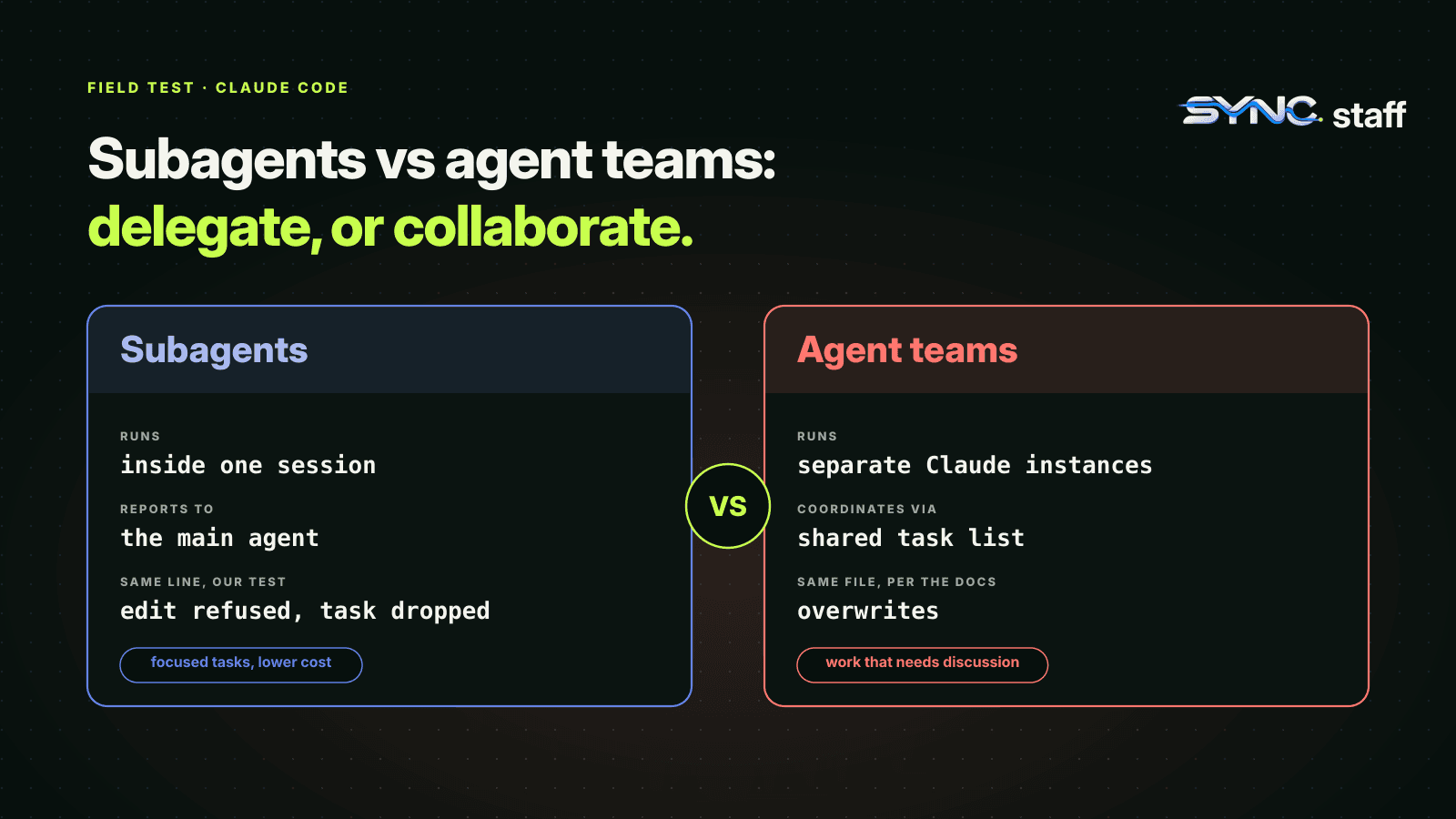
Claude Code subagents and agent teams both put more than one Claude to work on a task, and they're easy to mix up. They aren't interchangeable. Subagents are helpers inside your session that report back; agent teams are separate sessions that talk to each other. We ran both on the same repository, including two subagents told to change the same line at the same time, once sharing the working tree and once in isolated worktrees. This guide covers how each works, what happened in those runs, and how to choose.
What are Claude Code subagents?
A subagent is a specialised Claude that your main session hands a task to. It runs in its own context window with its own system prompt, tool access and permissions, does the work, and returns a summary. The point is to keep side work, like searching a codebase or reading logs, out of your main conversation, so the main context stays focused on the problem.
Claude Code ships with a few built in. Explore is a fast, read-only agent for searching and analysing code. Plan gathers context during plan mode. General-purpose handles multi-step tasks that need both exploration and action. Claude delegates to them on its own when a task fits their description.
How to create a subagent
A subagent is a markdown file with YAML frontmatter. Only name and description are required:
---
name: code-reviewer
description: Reviews code for quality and best practices
tools: Read, Glob, Grep
model: sonnet
---

You are a code reviewer. When invoked, analyze the code and provide
specific, actionable feedback on quality, security, and best practices.
Where you save it sets who gets it:
| Location | Scope | Priority |
|---|---|---|
| Managed settings | Whole organisation | 1 (highest) |
--agents flag |
This session | 2 |
.claude/agents/ |
This project, shared through Git | 3 |
~/.claude/agents/ |
All your projects | 4 |
A plugin's agents/ folder |
Wherever the plugin is enabled | 5 |
When two definitions share a name, the higher-priority one wins. Claude decides when to delegate based on the description, so write it as a "use this when" sentence. To force a specific subagent, @-mention it or name it in your prompt ("Use the code-reviewer subagent on this diff").
Useful frontmatter beyond the basics: tools to limit what it can touch, model to run cheap work on a smaller model, background: true to let it run while you keep working, and isolation: worktree, which we'll come back to.
Subagents vs agent teams
| Subagents | Agent teams | |
|---|---|---|
| What they are | Helpers inside one session | Separate Claude Code sessions |
| Communication | Report a result back to the caller | Teammates message each other directly |
| Coordination | The main agent manages the work | Shared task list plus messaging |
| Nesting | Up to three layers of subagents by default | Teammates can't spawn teammates |
| How many | 20 running at once by default | Docs recommend starting with 3 to 5 |
| Own worktree | Yes, with isolation: worktree |
No, teammates share the working tree |
| Token cost | Lower: only summaries return | Higher: each teammate is a full session |
| Status | Generally available | Experimental, off by default |
The short version: subagents are for delegating, teams are for collaborating. If you only need the answer, use a subagent. If the workers need to argue with each other, a team earns its extra tokens.
One gotcha links the two. When agent teams are enabled, a subagent that Claude decides to name launches as a teammate instead. So turning teams on changes how ordinary delegation behaves, and a team can form when you only expected a quick helper.
We ran two subagents on the same line
We wanted to see what parallel subagents do when their work overlaps, so we gave two of them the same job with different answers. One file, greet.js, returning "hello " + name. Two subagents with Read and Edit tools, launched in the background at the same moment on Claude Code 2.1.302. One was told to change hello to Hi, the other to Hey.
Run 1: shared working tree. The second subagent finished first and changed the line to Hey. When the first subagent went to make its edit, the text it expected, "hello ", wasn't there any more, so Claude Code's Edit tool refused the change. The final file said Hey. The main session reported it plainly: one change survived and the other "was never applied".
That's better than a silent overwrite, and it's worth knowing why. The Edit tool replaces an exact string, so an edit made against stale text fails instead of clobbering the newer version. But look at what actually happened: a task you delegated didn't get done, and if you hadn't asked which change survived, you might not have noticed. With whole-file writes, or edits to text both agents still match, there's no such protection. That's the case Anthropic's docs warn about for agent teams: "Two teammates editing the same file leads to overwrites."
Run 2: isolation: worktree. We added isolation: worktree to both subagent definitions and ran the same test. Each subagent got its own Git worktree inside the project, at .claude/worktrees/agent-<id>, on its own branch named worktree-agent-<id>. Both edits succeeded. The main checkout still said hello. Neither subagent could see or disturb the other.
Isolation is the right default for parallel subagents that write code. But it moves the problem rather than removing it: two branches now change the same line, and the conflict waits for whoever merges them. We saw exactly the same pattern with Codex worktrees.
Foreground or background?
A foreground subagent blocks your conversation until it finishes, and its permission prompts come straight to you as they arise. Use it when you need the answer before you can do anything else.
A background subagent runs while you keep working, which is what makes parallel subagents possible. When it reaches a tool call that needs permission, Claude Code shows the prompt in your main session and names the subagent asking. Approve to let it continue, or press Esc to deny that one call without stopping the subagent. With several running at once, pre-approving routine commands saves a lot of prompts; see Claude Code permissions for teams. Set background: true in the definition to make a subagent run in the background every time.
Three subagents worth committing for a team
Subagents in .claude/agents/ travel with the repository, so one definition gives every teammate the same helper. They also read the project's CLAUDE.md unless a definition sets omitClaudeMd, so your team CLAUDE.md shapes them too. These three earn their place in most codebases:
---
name: test-runner
description: Use after any code change to run the tests and report failures with file and line.
tools: Read, Grep, Glob, Bash
model: haiku
---
Run the project's test command, then summarise only the failures:
test name, file, line, and the assertion message. Do not edit code.
---
name: reviewer
description: Use before committing to review the diff for bugs, missing tests and risky changes.
tools: Read, Grep, Glob, Bash
---
Review `git diff` against the project's conventions in CLAUDE.md.
List problems by severity with the exact line. Do not edit code.
---
name: implementer
description: Use for a self-contained code change that can be built and tested on its own.
isolation: worktree
background: true
---
Make the requested change, run the tests, and report your branch name.
The first two have no Edit or Write tool, so they won't change files through the normal editing path. They do have Bash, to run tests and read the diff, and Bash can still write; if you need a hard guarantee, add a deny rule or a hook. The third writes code, so it gets its own worktree and runs in the background. Its branch is the thing you review and merge.
When to use subagents
- Research and search. Let Explore or a custom read-only subagent dig through the codebase and return what matters.
- Focused, repeatable jobs. A test runner, a reviewer, a migration checker: define it once in
.claude/agents/and the whole team gets it. - Parallel work that doesn't overlap. Background subagents with
isolation: worktree, one per independent change. - Cost control. Route mechanical work to a smaller model with the
modelfield.
When to use agent teams
- Review from several angles. Security, performance and test coverage reviewers who challenge each other's findings.
- Debugging with competing theories. Teammates told to disprove each other converge on the real cause.
- Cross-layer features, where front end, back end and tests each have an owner who needs to coordinate.
For the risks of teams editing code together, and a tested hook that keeps each teammate inside its own directories, see what breaks when Claude Code agent teams collide.
How many subagents can Claude Code run?
By default, 20 subagents can run at once in a session. Spawning a 21st fails with Concurrent subagent limit reached until one finishes, and you can change the limit with CLAUDE_CODE_MAX_CONCURRENT_SUBAGENTS. There's no cap on how many a session spawns in total. Subagents can also spawn their own, up to three layers deep, controlled by CLAUDE_CODE_MAX_SUBAGENT_SPAWN_DEPTH.
Both work inside one session, and that's the limit
Subagents and agent teams solve coordination inside one person's session. Dedicated tools like Claude Squad and Conductor run many agents side by side, but they also manage one person's agents. Neither knows about the agents your teammates are running, or the Codex and Gemini sessions working in the same repository. My co-founder Nick and I run between 2 and 15 agents at a time across all three, and the collisions that cost us most were never between two subagents of mine. They were between my agents and his. If your repository has more than one person directing agents, the coordination has to sit above every session. That's what SyncStaff does: every agent, from any tool, declares what it's about to change and takes a lease on the files first, and a person decides the cases that matter.
Sources: Claude Code subagents documentation, Claude Code agent teams documentation.
Frequently asked questions
Can Claude Code run subagents?
Yes. Claude Code delegates to built-in subagents such as Explore, Plan and general-purpose, and to custom ones you define as markdown files in .claude/agents/ or ~/.claude/agents/. Each runs in its own context window with its own tools and permissions, then returns a summary to your main session.
Does Claude Code spawn subagents automatically?
Yes. Claude delegates on its own when a task matches a subagent's description, using the description field, your request and the current context. To make sure a particular subagent runs, @-mention it or name it in your prompt, for example "Use the code-reviewer subagent on this diff".
How many subagents can Claude Code run at once?
By default, 20 subagents can run at the same time in one session; a 21st fails with Concurrent subagent limit reached until one finishes. Change it with CLAUDE_CODE_MAX_CONCURRENT_SUBAGENTS. There's no limit on the total spawned over a session, and subagents can nest up to three layers deep.
What is the difference between subagents and agent teams?
Subagents are helpers inside one session that report a result back to the main agent. Agent teams are separate Claude Code sessions with a shared task list that message each other directly. Subagents cost fewer tokens and can run in isolated worktrees; teams suit work that needs discussion between the workers.