OpenCode vs Claude Code: We Tested Both on One Repo
OpenCode vs Claude Code compared hands-on: instruction files, default permissions, parallel sessions on one file, and how to run both on one repository.
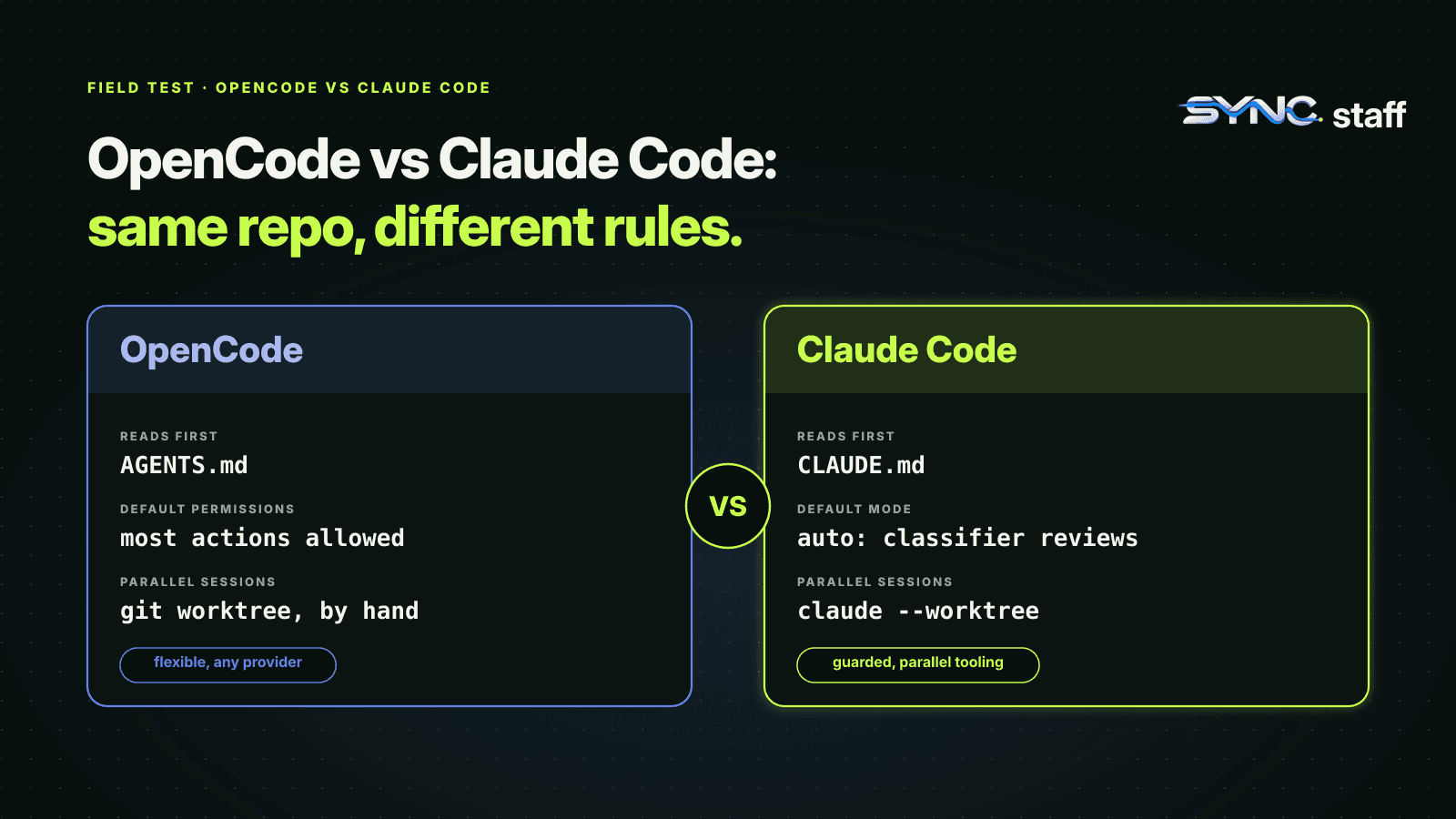
OpenCode vs Claude Code is usually framed as open source against Anthropic's own tool, or one model against another. For a team, the more useful question is what happens when both run on the same repository. We don't use OpenCode day to day; my co-founder Nick and I run Claude Code, Codex and Gemini. So for this comparison we installed OpenCode and put it through the same hands-on tests we've run on Claude Code and Codex. This post covers what each tool is, how they differ where it matters, and three findings that change how you'd run them side by side.
What is OpenCode?
OpenCode is an open-source AI coding agent you run in the terminal, with a desktop app and IDE extension as well. Unlike Claude Code, which is built around Anthropic's models, OpenCode works with any LLM provider you configure, and it offers its own curated set of models through a service called OpenCode Zen. It ships with built-in agents, permissions, and support for Claude Code's instruction files.
OpenCode vs Claude Code at a glance
| OpenCode | Claude Code | |
|---|---|---|
| Models | Any provider you configure, or OpenCode Zen | Anthropic's Claude models |
| Main modes | build agent (all tools) and plan agent (edits and shell commands ask first), switched with Tab |
Permission modes, including plan mode and auto mode, switched with Shift+Tab |
| Built-in helpers | general, explore and scout subagents |
Explore, Plan and general-purpose subagents |
| Default permissions | "Most permissions default to allow"; .env reads denied; loops and outside directories ask |
Auto mode by default since v2.1.283: a classifier reviews actions |
| Instruction file | AGENTS.md first, CLAUDE.md as fallback |
CLAUDE.md first, AGENTS.md only if there's no CLAUDE.md |
| Parallel isolation | No worktree flag in the CLI we tested; use git worktree add yourself |
claude --worktree <name>, with isolation enforced |
| Stuck-loop guard | Asks after the same tool call repeats three times with identical input | No identical-call guard we found; auto mode pauses after repeated classifier blocks, and you course-correct with Esc and /rewind |
| Server mode | opencode serve, attach and web |
Remote and background sessions, agent view |
How we tested
We installed OpenCode 1.18.34 from npm and ran it against a small test repository. To avoid adding API keys, we used one of OpenCode Zen's free models. That matters for how to read the results: these tests compare the tools' behaviour, not model quality. OpenCode can run Claude or GPT models if you give it the keys, and the findings below don't depend on which model drives it. Each test started from a clean checkout, and we checked the file on disk afterwards rather than trusting the agent's own report.
Finding 1: the two tools read different instruction files
We put a CLAUDE.md in the repository with one rule: end every answer with a marker word. OpenCode followed it, as its docs promise when there's no AGENTS.md. Then we added an AGENTS.md with a different marker. OpenCode switched to the AGENTS.md rule and stopped following CLAUDE.md entirely.
Claude Code does the opposite. With both files present, it reads CLAUDE.md and ignores AGENTS.md, unless CLAUDE.md imports it.
So in a repository with both files, the two tools quietly follow different rules. On a team that mixes tools, that's how one agent ends up respecting a convention the other has never seen.
The fix is one source of truth. Keep the shared rules in AGENTS.md, and make CLAUDE.md import it:
@AGENTS.md

## Claude Code
Use plan mode for changes under `src/billing/`.
Now OpenCode reads AGENTS.md and Claude Code reads the same rules through the import. Codex reads AGENTS.md too. We cover writing that file in CLAUDE.md best practices for teams.
Finding 2: OpenCode edits without asking by default
We asked OpenCode to change one line, without granting anything first. It made the edit straight away. That matches its documentation: most permissions default to allow, with exceptions for reading .env files, working outside the project, and repeated identical tool calls.
Claude Code's default is different in kind. Auto mode, now the starting mode for interactive sessions, also runs without routine prompts, but a classifier reviews actions like shell commands and network requests and blocks risky ones such as force pushes.
If you want OpenCode to ask, say so in opencode.json:
{
  "permission": {
    "edit": "ask",
    "bash": {
      "*": "ask",
      "git status *": "allow",
      "npm test *": "allow"
    }
  }
}
In OpenCode's bash rules, the last matching rule wins, so put the catch-all first. The built-in plan agent is the other option: edits and shell commands ask by default there. We compare permission models in more depth in Claude Code permissions for teams.
Finding 3: two sessions on one line drop a task
We started two OpenCode sessions at the same moment in the same directory, one told to change the greeting to "Hi" and the other to "Hey". The second finished first. When the first tried its edit, the text it expected was gone, and OpenCode's edit tool refused it: "Could not find oldString in the file." No silent overwrite, but one of two tasks simply didn't happen.
Then the agent did something worth noticing. It inspected the file, saw "Hey", and offered to change it to "Hi" instead. It had no way to know another agent had just made that change on purpose. Say yes, and you overwrite your own teammate's work with the agent's blessing.
That's the same result we got from two Claude Code subagents in subagents vs agent teams. The tools behave well at the level of one edit. Neither knows what other agents are doing.
Where each one is stronger
OpenCode is the more flexible harness. It runs any provider's models, it's open source, it has a server mode you can attach clients to, and its loop guard catches an agent repeating the same failing call.
Claude Code has the deeper safety and parallel-work tooling. claude --worktree gives each session an isolated checkout and blocks edits that reach back into the main one; see Claude Code worktrees. Auto mode's classifier, a broad hooks system, an OS-level sandbox and agent teams have no direct equivalents in the OpenCode CLI we tested.
OpenCode vs Codex
Codex sits between the two. Like Claude Code, it ships its own worktree support: codex --worktree puts a session in a managed worktree under ~/.codex/worktrees, which we tested in Codex worktrees. Like OpenCode, it reads AGENTS.md as its instruction file, so the two follow the same rules without any import. Its sandbox modes and approval policy are configured per session. If you're choosing between OpenCode and Codex, the deciding questions are usually which models you want to pay for, and whether you need parallel sessions isolated for you or are happy to manage git worktree yourself; see git worktree vs branch.
Running OpenCode and Claude Code on the same repository
- One instruction file. Put the rules in
AGENTS.md, import it fromCLAUDE.md, and stop maintaining two copies. - Matching permissions. Decide what every agent may do without asking, then express it in both tools:
opencode.jsonfor OpenCode,.claude/settings.jsonfor Claude Code. - A worktree per session. Claude Code and Codex create them for you; for OpenCode, create one yourself and start OpenCode inside it:
git worktree add -b opencode-task ../myrepo-opencode
cd ../myrepo-opencode && opencode
- Coordinate across tools. OpenCode's permissions don't know about Claude Code's sessions, and Claude Code's hooks don't run inside OpenCode.
Pick the harness you like; coordinate them anyway
OpenCode and Claude Code are both capable agents with different defaults: OpenCode flexible and permissive, Claude Code more guarded and better equipped for parallel sessions. Many teams will end up running both, plus Codex, on the same codebase. Our tests show where that bites: different instruction files, different defaults, and agents that drop or undo each other's work without knowing it. SyncStaff is built for exactly that mix: every agent, whatever tool it runs in, declares its change and leases the files first, so two vendors' agents never quietly work on the same file. For other tools that run several agents at once, see Claude Squad, Conductor and parallel agent tools.
Sources: OpenCode documentation, OpenCode rules, OpenCode permissions, OpenCode agents, Claude Code memory and CLAUDE.md documentation, Claude Code permission modes documentation.
Frequently asked questions
What is the difference between OpenCode and Claude Code?
OpenCode is an open-source coding agent that works with any model provider you configure; Claude Code is Anthropic's agent for Claude models. OpenCode lets most actions run without asking by default and reads AGENTS.md first. Claude Code defaults to auto mode with a safety classifier, reads CLAUDE.md first, and has built-in worktree isolation.
Does OpenCode read CLAUDE.md?
Yes, as a fallback. OpenCode reads AGENTS.md in your project, and only uses CLAUDE.md when there's no AGENTS.md. In our test, adding an AGENTS.md made OpenCode stop following CLAUDE.md entirely. Claude Code does the reverse, so keep shared rules in AGENTS.md and import it from CLAUDE.md with @AGENTS.md.
Does OpenCode ask before editing files?
Not by default. OpenCode's documentation says most permissions default to allow, and in our test it edited a file without asking. Reading .env files is denied, and working outside the project or repeating the same tool call three times asks first. Set edit and bash to ask in opencode.json, or use the plan agent.
Can I use OpenCode and Claude Code on the same repository?
Yes. Keep one instruction file, AGENTS.md, imported from CLAUDE.md so both follow the same rules. Match permissions in opencode.json and .claude/settings.json. Give each session its own worktree, using git worktree add for OpenCode. Neither tool knows what the other's sessions are doing, so coordinate across them.