Codex Worktrees: Parallel Agents Without Overwrites
We ran two Codex agents on the same line with --worktree. See where worktrees live, why the agents couldn't commit, and where the conflict surfaced.
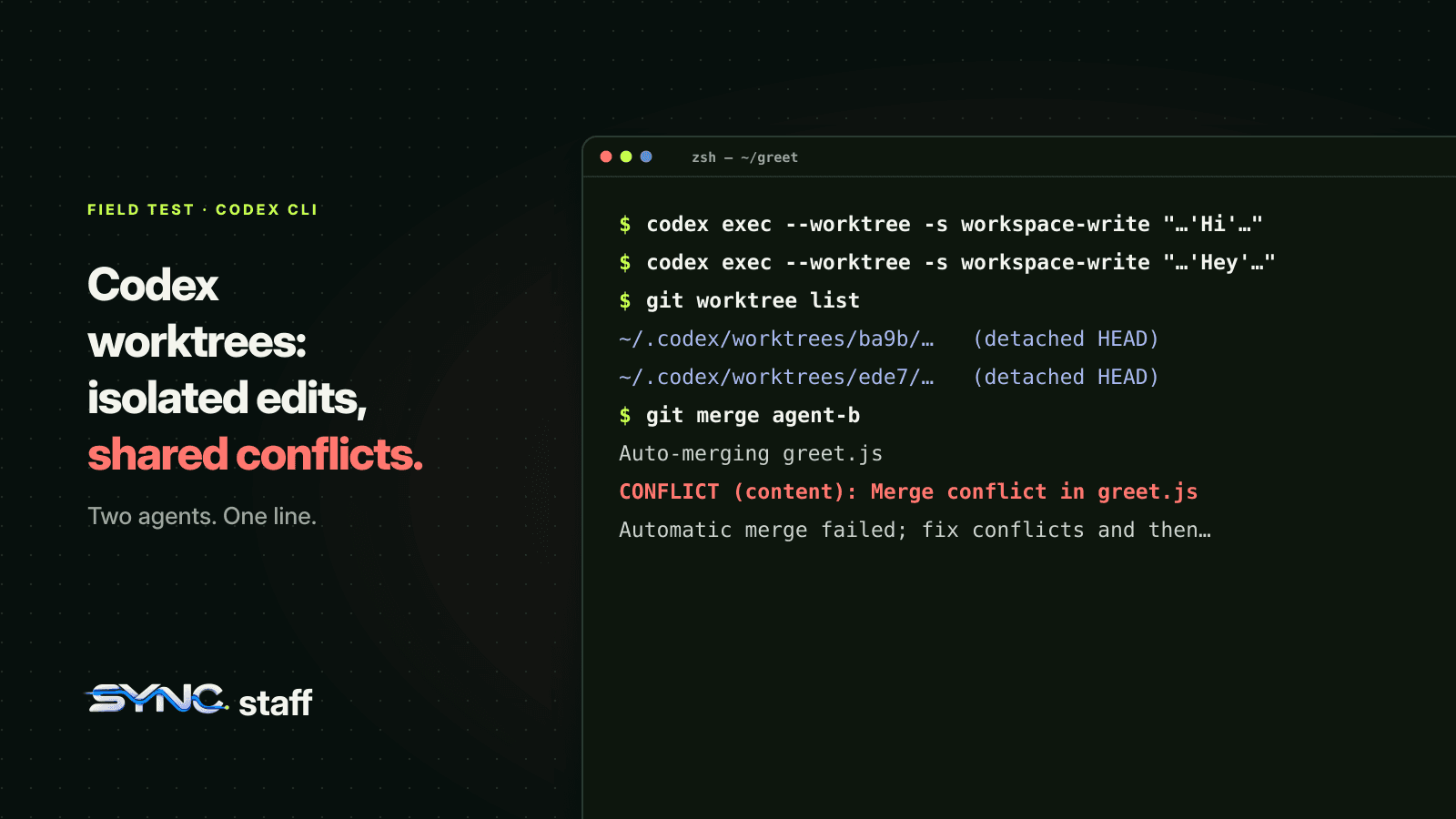
A Codex worktree gives each Codex session its own checkout of your repository, so two agents can change the same file at the same time without overwriting each other. That's the promise, and it holds. What it doesn't do is make the two changes agree. We ran two Codex sessions in parallel with --worktree on the same line of the same file, and this post shows exactly what happened: where the worktrees went, why neither agent could commit, and where the collision finally surfaced.
What is a Codex worktree?
A Codex worktree is a separate Git checkout that Codex creates and manages for one session. It shares your repository's history and objects but has its own working files, so an agent working there can't touch your main checkout or another agent's files. Codex creates it in a detached HEAD state, at your current commit, under $CODEX_HOME/worktrees.
It's built on plain git worktree, which has been part of Git for years. Codex adds the management: creating one per session, keeping track of which chat owns which worktree, and cleaning old ones up. By default Codex keeps your 15 most recent managed worktrees and removes older ones, saving a snapshot first so you can restore the work by reopening the chat.
How to start Codex in a worktree
In the Codex CLI, add --worktree to a new session:
# interactive session in a new managed worktree
codex --worktree

# non-interactive run
codex exec --worktree "implement the next step"

# fork an existing session into its own worktree to try another approach
codex exec fork <SESSION_ID> --worktree "try an alternative approach"
Two rules from the CLI reference: --worktree requires local execution, and it can't be combined with resume, review, --ephemeral or --ignore-user-config. In the desktop app, worktrees are an environment option per chat, with a Handoff button that moves a chat between your local checkout and its worktree.
Files your .gitignore excludes, like .env, don't follow the code into a worktree. List the ones you need in a .worktreeinclude file at the repository root and Codex copies them in. That file applies to app-managed worktrees, not to ones you create yourself with git worktree add.
We ran two Codex agents on the same line
The setup was deliberately hostile: a one-function repository and two Codex sessions started at the same moment, each told to change the same line.
codex exec --worktree -s workspace-write \
  "In greet.js, change the greeting to 'Hi'. Then commit it."
codex exec --worktree -s workspace-write \
  "In greet.js, change the greeting to 'Hey'. Then commit it."
Here's what we saw, on Codex CLI 0.162.1:
- Each session got its own checkout.
git worktree listshowed the main checkout plus two new ones,~/.codex/worktrees/ba9b/...and~/.codex/worktrees/ede7/..., both at the starting commit with a detached HEAD. - Both edits succeeded, in isolation. One worktree said
Hi, the other saidHey, and the main checkout still saidhello. Nobody overwrote anybody. Without worktrees, the second write would have silently replaced the first. - Neither agent could commit. Both reported the same thing: Git metadata was mounted read-only, so
git addcouldn't createindex.lock. Under theworkspace-writesandbox, the agent can edit files in its worktree, but the repository's shared.gitdata stays outside what it may write. Granting the.gitfolder with--add-dirdidn't change that in our run; the agent still couldn't create a branch.
That third point surprises people. Running Codex in a worktree under the default sandbox gives you isolated edits, not isolated commits. Committing, branching and merging stay with you, or with whatever runs outside the sandbox. In the app, Create branch here on a worktree turns it into a branch you can commit, push and open a pull request from.
Where the collision went
We committed each worktree's change onto its own branch from outside the sandbox, then merged both into master. The first merge was clean. The second produced exactly the conflict you'd expect:
Auto-merging greet.js
CONFLICT (content): Merge conflict in greet.js
Automatic merge failed; fix conflicts and then commit the result.
<<<<<<< HEAD
  return "Hi " + name;
=======
  return "Hey " + name;
>>>>>>> agent-b
That's the honest summary of what worktrees do for parallel agents. They turn an overwrite into a merge conflict. That's a real improvement: an overwrite loses work silently, while a conflict stops and shows you both versions. But the conflict arrives at merge time, after both agents spent tokens and time building on incompatible assumptions. With two agents and one line it takes ten seconds to resolve. With eight agents, a shared schema and a week of work, it's an afternoon, and sometimes it's a rewrite.
Codex worktree vs branch
| Worktree | Branch only | |
|---|---|---|
| Separate working files | Yes, one directory per worktree | No, one directory you switch |
| Parallel agents at once | Yes | No, they'd share files |
| Same branch in two places | Not allowed by Git | Not applicable |
| Prevents overwrites | Yes, during the work | No |
| Prevents conflicts | No, they appear at merge | No |
| Disk cost | A checkout per worktree | None extra |
Git allows a branch to be checked out in only one place at a time. That's why Codex starts worktrees on a detached HEAD, and why the app has Handoff instead of letting you open the same branch locally and in a worktree at once. We explain the rule in git worktree vs branch.
When worktrees are enough, and when they aren't
Worktrees are enough when the agents' work really is separate. Two agents on two unrelated features, or one agent trying an alternative approach to a problem you're also solving locally, are good fits. The conflict risk is low and the isolation makes review cleaner: one worktree, one diff.
They aren't enough when the work overlaps, and in a real codebase it overlaps more than the task list suggests. A router, a schema, a shared types file, a lockfile: most features touch one of them. My co-founder Nick and I run between 2 and 15 agents at a time on one repository, mixing Codex, Claude Code and Gemini, and the overlaps we got burned by were rarely the files we expected. Before SyncStaff, we'd agree "you take this, I'll take that", and it held until the boundaries quietly blurred.
What actually prevents the late conflict is knowing, before an agent starts, that another agent already holds the file it's about to change. That's a coordination question, not a Git one. Worktrees don't answer it, because each worktree is isolated by design: it can't see what the others are doing. In our own repository, agents declare what they're about to change and take a lease on those files first. Between August 3 and October 18, 2026, that stopped 40 attempts to change files another agent already held, before any of them reached a merge. Claude Code's subagents have the same trade-off with isolation: worktree, which we tested in Claude Code subagents vs agent teams.
A workflow for parallel Codex agents
If you're running several Codex sessions on one repository, this is the order that keeps merges boring:
- Split work by files, not by feature names. Before you start each session, write down which directories it may touch. If two sessions need the same file, run them one after the other.
- Start each session with
--worktree. Isolation is cheap and removes the overwrite problem entirely. - Keep
.worktreeincludecurrent so each worktree has the ignored config files it needs to build and test. - Commit and merge from outside the sandbox, one worktree at a time, running tests after each merge rather than after all of them.
- Merge the riskiest worktree first. The one that touches shared files sets the base the others have to fit.
- Clean up. Archive finished chats, or
git worktree removethe ones you made yourself, so stale checkouts don't pile up.
If you're also running Claude Code on the same repository, the same rules apply, and Claude Code's own parallel feature has the same blind spot across sessions. We covered that in what breaks when Claude Code agent teams collide.
If you also use Claude Code, the Codex plugin for Claude Code lets a Claude session hand reviews and stuck tasks to Codex directly. If you're weighing Codex against OpenCode, which has no worktree flag of its own, see OpenCode vs Claude Code.
Use worktrees for isolation, and coordinate before the merge
Codex worktrees do one job well: they stop agents from overwriting each other while they work. Use them for every parallel session. Then accept what they don't do. They can't tell one agent that another is already changing schema.ts, so the collision waits for you at merge time. Multiplied across a team, that's a large part of the AI productivity paradox: more agents, not proportionally more shipped. If you're running more than a couple of agents, or agents from more than one vendor on the same repository, that warning has to come before the work starts. That's the part we built SyncStaff for: agents declare their changes and lease the files first, so the conflict is a short message at the start instead of a long afternoon at the end.
Sources: Codex worktrees documentation, Codex CLI developer commands.
Frequently asked questions
Where does Codex put its worktrees?
Codex creates managed worktrees under $CODEX_HOME/worktrees, which is ~/.codex/worktrees by default, with one directory per session. Each starts in a detached HEAD state at your current commit. In our test, two parallel sessions got ~/.codex/worktrees/ba9b and ~/.codex/worktrees/ede7, both separate checkouts of the same repository.
Do Codex worktrees prevent merge conflicts?
No. Worktrees stop agents from overwriting each other while they work, because each has its own files. When two agents change the same lines, the conflict still appears when you merge their branches. Worktrees change a silent overwrite into a visible conflict; preventing it needs coordination before the work starts.
Why can't Codex commit inside a worktree?
In our test with the workspace-write sandbox, both agents edited files in their worktrees but could not commit, because the repository's Git metadata was read-only to them. Adding the .git folder with --add-dir did not change that. Commit and merge from outside the sandbox, or use Create branch here in the app.
Can two Codex worktrees use the same branch?
No. Git only allows a branch to be checked out in one place at a time, so Codex starts managed worktrees in a detached HEAD state instead of on a branch. To move a chat's work between your local checkout and its worktree, use Handoff in the Codex app rather than checking out the same branch twice.