MCP Authentication: OAuth Setup and Failure Tests
Learn MCP authentication setup, trace OAuth discovery, and run 17 verified token and HTTP scenarios for audience, scopes and denied writes before team rollout.
MCP authentication controls how a client gets access to a protected MCP server. For remote HTTP deployments using MCP authorization, configure the OAuth 2.1 discovery flow, validate the access token for the intended resource, and check permissions before a tool runs. Local stdio servers use a different credential boundary: the process and environment that launch them.
We ran 10 token checks and 7 loopback HTTP scenarios with Node.js 22.22.1 and jose 6.2.14. They cover signatures, issuer, audience, expiration, scope, discovery metadata and actual authentication challenges. The denied write left the write counter at zero. These are controlled fixtures, with synthetic tokens; they do not implement a browser login or the MCP JSON-RPC transport.
Choose the MCP authentication setup you need
Start with whether you are connecting a client, operating a remote server or launching a local process. Each choice gives you a different configuration task:
| Your situation | Configure first | Verify before rollout |
|---|---|---|
| Connecting an MCP client to a remote service | The service URL and its supported authorization flow | The client discovers the issuer and obtains a token for the intended resource |
| Building a protected HTTP MCP server | A trusted issuer, the resource identifier, token verification and operation scopes | Missing or invalid tokens stop at HTTP; a denied operation never runs |
| Launching a local stdio server | The launch command and credentials that process is allowed to inherit | The process has the intended access and does not expose secrets in shared config |
A provider-documented static bearer token can work with a client configured to send it. It does not, by itself, supply OAuth discovery, browser consent or refresh behavior. Confirm the remote service and client support the same mechanism before treating an API key as interchangeable with an OAuth integration.
For a new protected remote server, use this setup order:
- Pick the public resource URL that clients actually use.
- Configure a trusted authorization server to issue access tokens for that resource.
- Wire token verification, protected resource metadata and scope enforcement into the HTTP boundary.
- Configure the client-registration mechanism supported by both sides, then exercise the authorization-code flow and PKCE.
- Run the allowed and denied cases through HTTP before exposing real tools.
The TypeScript SDK authorization guide shows the resource-server middleware and metadata router. The Python SDK authorization guide documents its token verifier and HTTP integration. Use the instructions for your installed SDK version. The authorization-server and resource-server roles can share a host, but they still have different responsibilities.
What does MCP authentication protect?
For remote HTTP connections, MCP's authorization layer controls access to a protected MCP server using access tokens. The client obtains a token, and the server verifies it before accepting a protected request. The MCP authorization specification describes these roles and the transport-level requirements.
People often use authentication to mean the whole arrangement. In practice, separate the decisions. A trusted issuer identifies the subject represented by a token. Its audience determines where the token belongs. Application policy determines which operation that subject may perform.
A coding agent that can read a repository does not necessarily need permission to change it. A token accepted by one service does not automatically belong at another. Write those expectations down before configuring the client, because a green connection indicator cannot tell you whether either boundary holds.
For project isolation specifically, our agent identity and project access checks cover a different question: whether an authenticated agent can reach another project's coordination data. The fixture here concentrates on the access token presented at the server boundary.
Remote HTTP and local stdio need different setups
The HTTP authorization flow applies to remote HTTP transports. The specification gives local stdio implementations a different credential pattern, using the environment instead of that HTTP flow. Identify the transport first. Otherwise, a team can spend time debugging browser consent for a process that needs a narrowly configured local credential.
Local execution still deserves its own controls. An authenticated remote connection does not restrict every file or command available on the agent's machine. Our Claude Code sandbox guide explains that separate execution boundary.
Follow discovery before debugging tokens
Use the authorization server discovery requirements to trace a remote client's path:
- The client contacts the protected MCP endpoint.
- An authentication challenge directs it to protected resource metadata.
- That document identifies the authorization server or servers.
- The client discovers the chosen authorization server's capabilities and completes the supported authorization flow.
- The client retries with its access token, and the resource server validates it.
At each step, keep the URLs and response status in your debugging notes. Keep credentials out of those notes. An unexpected issuer, a missing metadata document and an invalid access token point to different parts of the system.
For an endpoint you operate, this command is a starting point for inspecting an unauthenticated response. Replace the reserved example hostname with your own server:
curl -i https://mcp.example.test/mcp
A method-specific response may require checking your server's supported HTTP methods. For a protected request, inspect the HTTP authentication challenge rather than relying on a tool's prose explanation of a failure. Compare the metadata it advertises with the endpoint your client actually intended to contact.
Check the registration mechanism your client supports
As of the MCP 2026-07-28 revision, client registration supports pre-registration, Client ID Metadata Documents and Dynamic Client Registration. Clients that support all options use existing pre-registered information first, then advertised metadata-document support, with dynamic registration as a compatibility fallback.
That matters when following an older tutorial built around a registration proxy. Establish which mechanism the client and authorization server can use today before adding another component. Record the client version and metadata response alongside the configuration so another developer can reproduce your setup. PKCE binds the authorization-code exchange to the client verifier; it does not, by itself, prove that a particular human approved a specific tool operation.
Give every token an intended resource
OAuth resource indicators let a client identify the resource for which it requests access. In the fixture, that resource is https://mcp.example.test/mcp. A token with a different audience must fail even when the trusted signing key produced it.
This is a useful negative case because it separates cryptographic validity from intended use. Our wrong-audience token has a valid signature and a future expiration. The verifier still rejects it because it names a different resource. A signature-only test would miss that distinction.
Choose and document your deployment's canonical resource identifier. Use the value your authorization server issues and your resource server validates. Keep resource identifiers distinct from issuer identifiers: one names the destination resource; the other identifies the token's issuer.
Check the SDK's audience-validation setting as well as your JWT verifier. The Python guide documents an explicit validate_token_resource option; the TypeScript guide describes expectedResource and compatible middleware versions. Verify the behavior with a wrong-audience token instead of assuming that configuring a resource URL enables every check automatically.
Avoid token shortcuts that break the boundary
Send the access token in the Authorization header. Do not copy an older example that accepts it in a query string. Keep refresh-token concerns such as offline_access with the authorization-server flow rather than treating them as permissions required by a protected tool.
If a tool calls an upstream API, use a token issued for that upstream API. The MCP authorization security requirements prohibit forwarding the client's MCP token as a shortcut. Validating the inbound token and obtaining an upstream credential are separate checks.
Run a token-validation fixture before team rollout
This lab is a small, executable resource-server policy exercise. It generates disposable RSA keys in memory and signs its own synthetic JWTs. It contacts no identity provider and uses no real credentials. The tokens are test fixtures rather than production access tokens.
The jose project supplies signing and JWT verification. We pin the version used in the recorded run. In a new disposable directory, initialize the package and install it:
npm init -y
npm install --save-exact jose@6.2.14 --ignore-scripts --no-audit --no-fund
Save the following as auth-checks.mjs, then run node auth-checks.mjs. The .mjs extension enables the module syntax without changing your existing application's package configuration.
import assert from 'node:assert/strict';
import { resolve } from 'node:path';
import { fileURLToPath } from 'node:url';
import { generateKeyPair, SignJWT, jwtVerify, errors } from 'jose';

export const issuer = 'https://issuer.example.test';
export const resource = 'https://mcp.example.test/mcp';
const { privateKey, publicKey } = await generateKeyPair('RS256');
const other = await generateKeyPair('RS256');
const now = Math.floor(Date.now() / 1000);

export async function mint(changes = {}, key = privateKey) {
  const claims = {
    iss: issuer, aud: resource, sub: 'agent-demo',
    iat: now, exp: now + 300, scope: 'tools:read', ...changes,
  };
  if (changes.exp === null) delete claims.exp;
  return new SignJWT(claims)
    .setProtectedHeader({ alg: 'RS256', typ: 'at+jwt' })
    .sign(key);
}

// Local test policy: these scope names match exactly, with no hierarchy.
// The numeric outcome models an HTTP status; this is not an HTTP server.
export async function authorize(token, requiredScope, expectedResource = resource) {
  if (!token) return 401;
  let payload;
  try {
    ({ payload } = await jwtVerify(token, publicKey, {
      algorithms: ['RS256'], issuer, audience: expectedResource,
      requiredClaims: ['iss', 'aud', 'sub', 'iat', 'exp'],
    }));
  } catch (error) {
    if (error instanceof errors.JOSEError) return 401;
    throw error;
  }
  const scopes = new Set(
    typeof payload.scope === 'string' ? payload.scope.split(/\s+/) : [],
  );
  return scopes.has(requiredScope) ? 200 : 403;
}

if (process.argv[1] && fileURLToPath(import.meta.url) === resolve(process.argv[1])) {
  const read = await mint();
  const write = await mint({ scope: 'tools:read tools:write' });
  const cases = [
    ['valid read', read, 'tools:read', 200],
    ['valid write', write, 'tools:write', 200],
    ['missing token', null, 'tools:read', 401],
    ['malformed token', 'not.a.jwt', 'tools:read', 401],
    ['untrusted signing key', await mint({}, other.privateKey), 'tools:read', 401],
    ['expired token', await mint({ exp: now - 120 }), 'tools:read', 401],
    ['wrong issuer', await mint({ iss: 'https://other.example.test' }), 'tools:read', 401],
    ['wrong audience', await mint({ aud: 'https://other.example.test/mcp' }), 'tools:read', 401],
    ['missing expiry', await mint({ exp: null }), 'tools:read', 401],
    ['read token asks to write', read, 'tools:write', 403],
  ];
  for (const [name, token, scope, expected] of cases) {
    const actual = await authorize(token, scope);
    assert.equal(actual, expected, name);
    console.log(`${name}: ${actual}`);
  }
  console.log(`${cases.length} checks passed`);

}
What the ten checks establish
The verifier accepts only RS256 in this fixture, uses its configured public key, checks the expected issuer and audience, and requires the listed claims. The expected resource passed to authorize is trusted server configuration; never copy it from an unverified token. The scope names are an application choice for this example. Their exact-match comparison is a deliberately small local policy; adapt permission semantics to your server's declared model.
The run produced these outcomes:
| Test case | Local outcome | Boundary exercised |
|---|---|---|
| Valid read token requests read | 200 | Allowed read path |
| Valid write token requests write | 200 | Allowed write path |
| Missing token | 401 | A credential is required |
| Malformed token | 401 | Parsing fails closed |
| Untrusted signing key | 401 | Signature verification |
| Expired token | 401 | Expiration enforcement |
| Wrong issuer | 401 | Issuer binding |
| Wrong audience | 401 | Resource binding |
| Missing expiry | 401 | Required-claim policy |
| Read token asks to write | 403 | Operation scope enforcement |
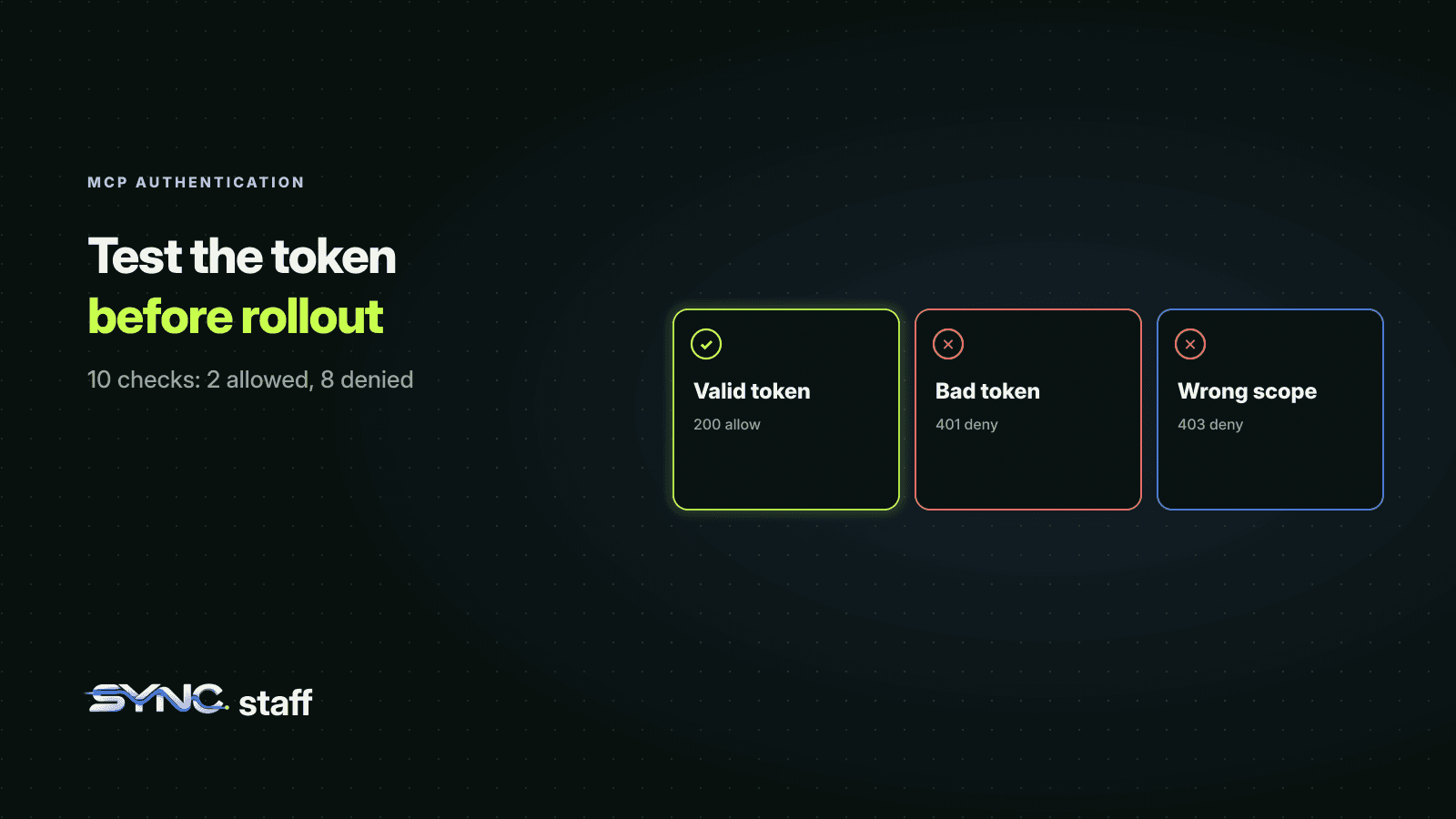
The final output was 10 checks passed. These numeric outcomes model HTTP response statuses; the function does not send HTTP responses. The featured diagram groups the same result into a valid token, a bad token and a wrong scope: 200 allow, 401 deny and 403 deny.
The useful result is the set of distinctions. Two accepted cases establish that the policy has a working path. The eight denied cases show which specific changes it refuses. Preserve both sides when adapting the exercise. A verifier that rejects everything would look secure in a denial-only demonstration and remain unusable.
Keep the limits of the fixture visible
This example chooses JWT access tokens. Your provider may use an opaque token that requires a different supported verification mechanism. It also uses one in-memory public key; it does not exercise remote key discovery, key rotation or your identity provider's availability.
There is no authorization-code exchange, PKCE verification, redirect handling, refresh flow, browser session or user consent screen in the lab. Those belong in the integration test for your selected client and authorization server. A passing local matrix is evidence about the code shown here, not a certification of an entire OAuth deployment.
When carrying the matrix into a real server, use that server's supported authentication middleware and token verifier. Keep tests that sign their own tokens in a disposable environment where you control the issuer and keys. Production credentials have no role in this local example.
Turn local outcomes into HTTP acceptance checks
The second fixture sends actual HTTP requests to a loopback server. It publishes a protected resource metadata document and exercises 200, 401 and 403 responses, including WWW-Authenticate challenges. A counter records whether a protected handler ran; a separate counter records successful writes.
Save the following as http-checks.mjs beside auth-checks.mjs and run it with the same installed dependencies:
node http-checks.mjs
This is a resource-boundary test harness. Its /resource route is not an MCP JSON-RPC endpoint, and the metadata advertises a reserved example issuer. It cannot complete a browser OAuth login. The temporary HTTP listener binds only to 127.0.0.1 and closes when the checks finish; deployed remote services need the transport security required by the specification.
import assert from 'node:assert/strict';
import { createServer } from 'node:http';
import { once } from 'node:events';
import { authorize, mint, issuer } from './auth-checks.mjs';

let base;
let resourceURL;
let metadataURL;
let handlerRuns = 0;
let writes = 0;

function send(res, status, body, headers = {}) {
  res.writeHead(status, {
    'content-type': 'application/json',
    'cache-control': 'no-store',
    ...headers,
  });
  res.end(JSON.stringify(body));
}

async function route(req, res) {
  const path = new URL(req.url, base).pathname;
  if (path === '/.well-known/oauth-protected-resource/resource') {
    return send(res, 200, {
      resource: resourceURL,
      authorization_servers: [issuer],
      scopes_supported: ['tools:read'],
      bearer_methods_supported: ['header'],
    });
  }
  if (path !== '/resource') return send(res, 404, { error: 'not_found' });
  if (!['GET', 'POST'].includes(req.method)) {
    return send(res, 405, { error: 'method_not_allowed' }, { allow: 'GET, POST' });
  }
  const token = /^Bearer ([^\s]+)$/i.exec(req.headers.authorization ?? '')?.[1];
  const scope = req.method === 'POST' ? 'tools:write' : 'tools:read';
  const status = await authorize(token, scope, resourceURL);
  if (status !== 200) {
    let challenge = 'Bearer resource_metadata="' + metadataURL + '"';
    if (status === 403) challenge += ', error="insufficient_scope", scope="' + scope + '"';
    else if (token) challenge += ', error="invalid_token"';
    return send(res, status, { error: status === 403 ? 'insufficient_scope' : 'unauthorized' },
      { 'www-authenticate': challenge });
  }
  handlerRuns += 1;
  if (req.method === 'POST') writes += 1;
  return send(res, 200, { ok: true, writes });
}

const server = createServer((req, res) => {
  route(req, res).catch(() => send(res, 500, { error: 'test_server_error' }));
});
server.listen(0, '127.0.0.1');
await once(server, 'listening');
base = 'http://127.0.0.1:' + server.address().port;
resourceURL = base + '/resource';
metadataURL = base + '/.well-known/oauth-protected-resource/resource';

async function call(token, method = 'GET', url = resourceURL) {
  const headers = token ? { authorization: 'Bearer ' + token } : {};
  const res = await fetch(url, { method, headers });
  return { status: res.status, challenge: res.headers.get('www-authenticate'),
    body: await res.json() };
}

try {
  const metadata = await call(null, 'GET', metadataURL);
  assert.equal(metadata.status, 200);
  assert.equal(metadata.body.resource, resourceURL);
  assert.deepEqual(metadata.body.authorization_servers, [issuer]);
  assert.deepEqual(metadata.body.bearer_methods_supported, ['header']);
  console.log('public resource metadata: 200');

  const missing = await call();
  assert.equal(missing.status, 401);
  assert.ok(missing.challenge.includes('resource_metadata="' + metadataURL + '"'));
  assert.equal(handlerRuns, 0);
  console.log('missing bearer token: 401, handler runs 0');

  const read = await mint({ aud: resourceURL });
  const allowed = await call(read);
  assert.equal(allowed.status, 200);
  assert.equal(handlerRuns, 1);
  console.log('valid read: 200, handler runs 1');

  const wrongAudience = await call(await mint({ aud: 'https://other.example.test' }));
  assert.equal(wrongAudience.status, 401);
  assert.ok(wrongAudience.challenge.includes('error="invalid_token"'));
  assert.equal(handlerRuns, 1);
  console.log('wrong audience: 401, handler runs unchanged');

  const forbidden = await call(read, 'POST');
  assert.equal(forbidden.status, 403);
  assert.ok(forbidden.challenge.includes('error="insufficient_scope"'));
  assert.ok(forbidden.challenge.includes('scope="tools:write"'));
  assert.ok(forbidden.challenge.includes('resource_metadata="' + metadataURL + '"'));
  assert.equal(handlerRuns, 1);
  assert.equal(writes, 0);
  console.log('read token requests write: 403, writes 0');

  const queryToken = await call(null, 'GET', resourceURL + '?access_token=' + read);
  assert.equal(queryToken.status, 401);
  assert.equal(handlerRuns, 1);
  console.log('token supplied only in query: 401, handler runs unchanged');

  const write = await mint({ aud: resourceURL, scope: 'tools:read tools:write' });
  const changed = await call(write, 'POST');
  assert.equal(changed.status, 200);
  assert.equal(changed.body.writes, 1);
  assert.equal(handlerRuns, 2);
  console.log('valid write: 200, writes 1');
  console.log('7 HTTP scenarios passed');
} finally {
  server.closeAllConnections();
  await new Promise((resolve) => server.close(resolve));
}
The run passed seven HTTP scenarios:
| Scenario | Actual response | Additional observation |
|---|---|---|
| Fetch public protected resource metadata | 200 | Resource URL, issuer and header-only token method matched |
| Request without a bearer token | 401 | Discovery challenge present; handler runs remained zero |
| Read with a valid token | 200 | Read handler ran once |
| Use a token for another audience | 401 | invalid_token challenge; handler count unchanged |
| Write with a read-only token | 403 | Required scope advertised; write count remained zero |
| Supply a token only in the query string | 401 | Query token was ignored; handler count unchanged |
| Write with a valid write token | 200 | Exactly one write occurred |
This distinguishes a refusal from an operation that ran and returned an error afterward. In the denied-write case, the response was 403 and the write count was still zero. The valid-write case then reached the same operation and raised that count to one.
Bearer token error handling supplies the status and challenge vocabulary. The test's protected handler is deliberately small so the observable behavior stays clear. Keep equivalent counters or other direct evidence when adapting the cases to a staging deployment.
Your real integration still needs a client, authorization server and MCP transport. Test discovery through token acquisition, client-registration behavior, redirects, refresh policy and scope step-up with those components. The two fixtures here establish the local token and HTTP boundaries; they do not certify that complete integration.
Debug failures by the boundary that rejected them
Use the failing stage to choose the next check:
| Observed failure | Inspect | Next action |
|---|---|---|
| A protected request has no authentication challenge | HTTP status and WWW-Authenticate at the public URL | Fix the resource-server or proxy response before debugging login |
| The client cannot find the issuer | The advertised resource_metadata URL and its authorization_servers | Fetch the metadata document without a token and compare the URLs |
| Browser authorization or callback fails | Client registration, redirect URI and PKCE support | Check both the client and issuer configuration |
| The token is signed but receives 401 | Issuer, audience, expiry and active verification keys | Confirm the token belongs to this resource and trusted issuer |
| Read works but write receives 403 | Required scopes and effective operation policy | Request the intended permission through the supported approval flow |
| A denied request still changes data | Middleware order and handler execution records | Move enforcement before the protected handler and keep a regression test |
Browser clients also need the correct origin and CORS behavior. Inspect what the browser can read, including the authentication challenge. The Node-based loopback test above does not test browser CORS or redirect behavior.
When a teammate says authentication is broken, ask for the failing stage and an observable result. Use a short record containing the client version, transport, server URL, metadata issuer, requested resource, operation and response status. A token fingerprint or safe identifier is enough for correlation. Avoid collecting the token itself.
A missing metadata document is a discovery problem. A callback rejected before a token exists is an authorization-flow problem. A token refused for a different audience is a resource-binding problem. A read-only token refused on a write operation may be the correct behavior.
Keep shared connection configuration reviewable. Document which values belong in the team's configuration and which are supplied privately for each developer or environment. Our team settings guide gives the corresponding shared-versus-local configuration pattern for Claude Code.
Use consistent labels in logs and tests so a reviewer can follow one request from the client boundary to the operation. Do not treat a recognizable agent name as sufficient authorization. Match it to the effective token and the application's permission decision.
Set a rollout gate you can repeat
Before adding another team or agent, attach the expected rejection matrix to the authentication change. Name the resource identifier, the permitted operations and the owner of the authorization-server configuration. Save the client and library versions with the test result.
Then run the same cases through the real HTTP boundary in a controlled environment. Confirm the challenges, verify that denied requests do no work, and check that a person can understand any request for additional scope. Re-run those checks when token-verification policy or identity-provider configuration changes.
For your next MCP rollout, start with the wrong-audience case. Make it fail at your own resource server, preserve the result, and include it in the review before granting another agent access.
Frequently asked questions
Does every MCP server need OAuth?
The MCP authorization specification makes authorization optional and describes the flow for HTTP transports. A protected remote deployment needs an appropriate access policy. Local stdio connections follow a different credential pattern. Choose the transport and trust boundary first, then test the authentication mechanism your implementation actually supports.
How do I set up MCP authentication for a remote server?
Configure a trusted issuer, a canonical resource URL, token verification and the operation scopes your server enforces. Publish protected resource metadata and return useful authentication challenges. Then configure compatible client registration and test the actual authorization flow, including PKCE and redirects, with the client and identity provider you plan to deploy.
Why does an MCP server reject a token with a valid signature?
A valid signature is one part of token validation. The token may name another audience, come from an unexpected issuer, be expired or omit a required claim. This article demonstrates those failures with locally signed JWT fixtures. Check the precise validation error without copying access tokens into logs or support tickets.
Should MCP authorization failures return 401 or 403?
An invalid or expired token receives an HTTP 401 response. A valid token with insufficient scope calls for HTTP 403 and appropriate scope guidance. The article tests those responses and their authentication challenges over loopback HTTP, and verifies that a denied write never reaches the protected handler or changes data.
What do the token and HTTP fixtures prove?
They verify the shown JWT policy, scope checks, HTTP challenges, public metadata and protected-handler behavior in a controlled loopback harness. They do not implement browser login, a real authorization server, refresh, redirects or the MCP JSON-RPC transport. Test those components separately with the actual client, issuer and server you deploy.