GitHub Rollback to Previous Commit Without Losing Work
Safely roll GitHub back to a previous commit with revert, preserve later work, handle merge conflicts, and choose rollback or fix forward with tests.
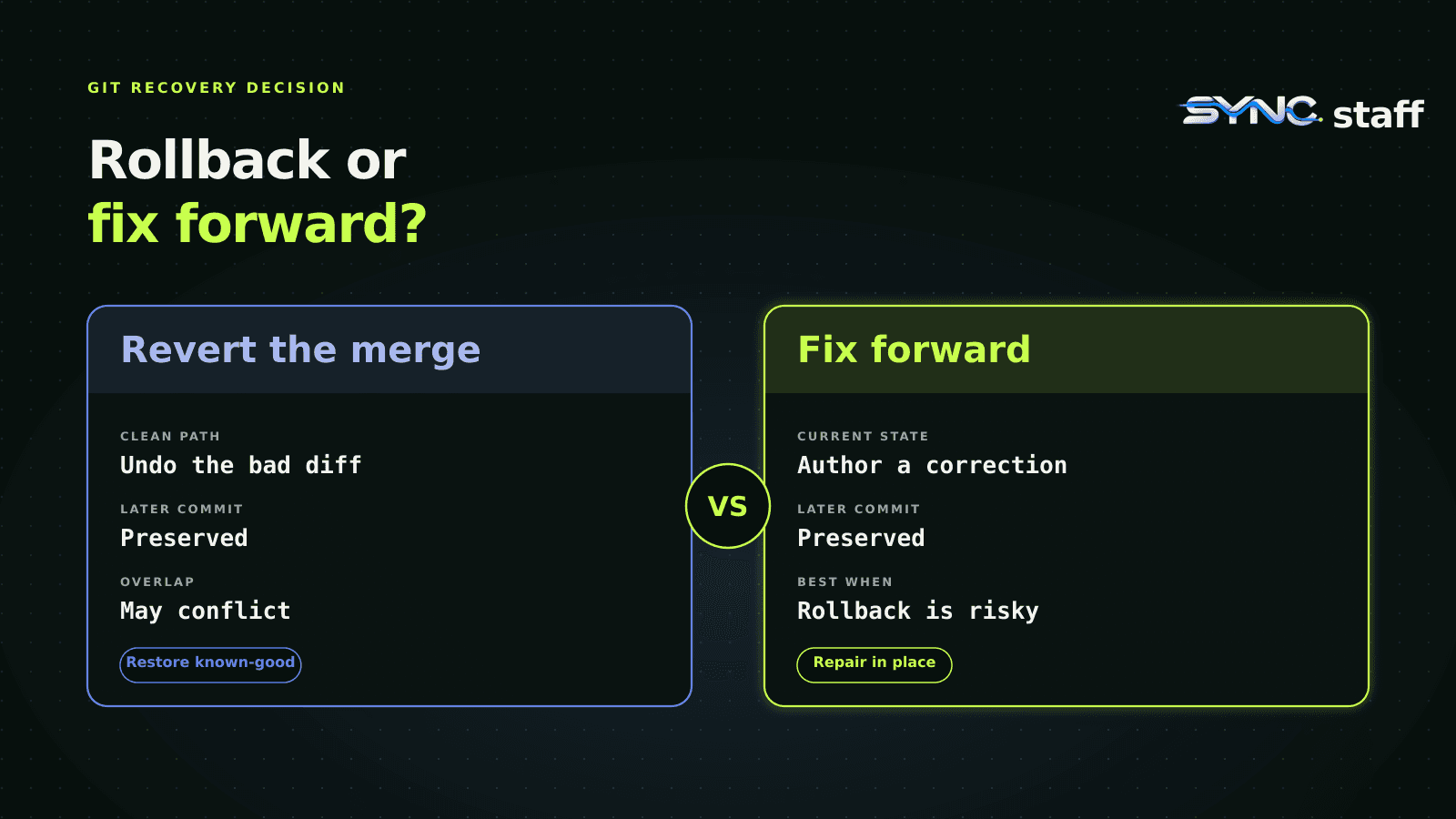
“GitHub rollback to previous commit” is common search shorthand, but on a shared branch the safe move usually means creating a new revert commit, not moving main backward with git reset --hard and a force push. First identify whether the bad change is one commit, a merged pull request, or a range. Then recover on a branch, preserve later unrelated work, run the same checks used before the merge, and send the recovery through human review. If later changes overlap the bad diff, stop and resolve the conflict or choose a tested fix-forward instead.
The short answer: revert shared history, reset only private history
Git has several commands that sound like “go back,” but they make different promises.
| Situation | Safer action | What happens to history |
|---|---|---|
| A bad commit is already on a shared branch | git revert <sha> |
Adds a new commit that applies the inverse diff |
| A merged pull request is bad | GitHub’s Revert action or git revert -m 1 <merge-sha> |
Adds a recovery commit or recovery pull request |
| Several public commits must be undone | Revert newest to oldest, or carefully revert a tested range | Preserves the original commits and adds inverse changes |
| A local commit has never been pushed | git reset --soft, --mixed, or --hard, depending on what you need to keep |
Moves the local branch pointer; --hard also discards working-tree changes |
| The failure is caused by state that cannot be safely reversed | Fix forward with a tested correction | Adds a new corrective change against the current state |
The key distinction is publication. Git’s own manual says that a public mistake should be fixed with a new commit, while rewriting is appropriate only when the old commit has not been made public. That is why a force push is usually the wrong default for main: it can remove commits teammates already pulled and work that arrived after the failure.
Before you run a rollback command, freeze the decision
A rollback executed under pressure can create a second incident. Take five minutes to record the state before changing it:
- Name the failing release, branch, pull request, and commit SHA.
- Capture the observed symptom and the check that proves it.
- List every commit merged after the suspected change.
- Identify migrations, data writes, feature flags, generated files, lockfiles, and external side effects.
- Assign one recovery owner and one human approver.
- Decide which exact check will confirm recovery.
Do not use the agent chat transcript as the file inventory. Ask Git:
git fetch origin
git log --oneline --decorate --graph origin/main -n 20
git show --stat --summary <suspected-sha>
git diff --name-status <suspected-sha>^ <suspected-sha>
If the change arrived through a pull request, inspect the merge strategy. A merge commit, a squash merge, and a rebased series have different recovery shapes. GitHub can create a revert pull request for a pull request merged on GitHub, but conflicts or nonstandard histories may require a local revert.
This is also where coordination matters. A merge queue can reduce integration surprises before a change lands, but it cannot decide whether a production failure should be reversed. The recovery still needs an accountable owner, current evidence, and a human decision.
How to revert one pushed commit safely
Create a recovery branch from the latest remote main, not from the historical commit you want to restore:
git fetch origin
git switch --create recovery/revert-bad-change origin/main
git revert <bad-commit-sha>
Review the generated inverse change before pushing it:
git show --stat
git diff HEAD^ HEAD
git status
Then run the project’s ordinary build, unit tests, integration tests, and any targeted regression that reproduces the incident. Push the branch and open a pull request:
git push --set-upstream origin recovery/revert-bad-change
This preserves the bad commit, the later commits, and the recovery decision in history. It also makes the proposed rollback reviewable. If the original change touched a public interface, configuration contract, migration, or generated artifact, reviewers should check those boundaries separately rather than treating a green unit suite as sufficient.
How to revert a merged pull request
For a pull request merged on GitHub, the simplest route is often the Revert button on the merged pull request. GitHub opens a new pull request that reverses the original merge. Review and merge that pull request like any other production change.
From the command line, a true merge commit needs a mainline parent:
git fetch origin
git switch --create recovery/revert-pr origin/main
git show --no-patch --pretty=raw <merge-sha>
git revert -m 1 <merge-sha>
-m 1 tells Git to keep the first parent, normally the pre-merge main history, and reverse the changes introduced by the merged branch. Verify the parent order instead of copying the command blindly. A squash merge is one ordinary commit and normally uses git revert <sha> without -m.
If the revert conflicts, Git has stopped before creating the recovery commit. Inspect the unmerged paths:
git status
git diff --name-only --diff-filter=U
Resolve only after you understand why a later change overlaps the old one. Then stage the resolution and continue:
git add <resolved-files>
git revert --continue
If the proposed resolution is unclear, abort without changing the branch:
git revert --abort
That stop is useful evidence. It means the repository has evolved beyond a clean inversion, so a mechanical rollback may be riskier than a focused correction.
What our disposable Git test actually proved
We ran three recovery paths in fresh local repositories. Each repository began with a known-good service file. A feature branch changed it to a broken value and was merged with a merge commit. A later commit changed an unrelated operations document.
The fixture executed 13 assertions, and all 13 passed:
git revert -m 1 <merge-sha>removed the bad service change;- the later documentation commit remained in history and its file content remained present;
- the recovery working tree was clean;
- when a later commit edited the same service line, the revert returned a nonzero exit and identified the file as unmerged;
git revert --abortrestored the exact pre-attempt state;- a separate fix-forward commit also restored known-good behavior while preserving the unrelated later commit.
| Tested path | Result | Important limit |
|---|---|---|
| Clean merge revert | Bad diff removed; later unrelated commit preserved | Works cleanly only when later work does not conflict with the inverse diff |
| Overlapping later edit | Git stopped with a conflict | A person must understand and resolve the current state |
| Fix forward | Corrective commit restored expected behavior | Requires confidence that the correction is smaller and safer than inversion |
This was a local Git control, not a production reliability benchmark. It did not test GitHub branch protection, the pull request UI, CI, deployment infrastructure, databases, coding-agent quality, recovery time, or human review speed. Its narrow result is that a merge revert can preserve later unrelated work, while an overlapping edit correctly forces a decision.
Rollback or fix forward: use a decision table
Favor a rollback when the change is poorly understood, the inverse is known, and the system can return to the prior state without corrupting data or violating a newer dependency. Favor fix-forward when rollback is impossible, when irreversible state has already changed, or when the safe correction is both smaller and better understood than the inverse.
| Question | Lean toward rollback | Lean toward fix forward |
|---|---|---|
| Can the exact bad change be isolated? | Yes, and its inverse is reviewable | No, but the failing condition has one clear correction |
| Did later work depend on the bad behavior? | No | Yes, and reverting would break that dependency |
| Are schema or data changes backward compatible? | Yes, or separately reversible | No, rollback would make code and data disagree |
| Is the failure mechanism understood? | Not fully; restore known-good first | Yes, with a small tested patch |
| Is the old version still deployable? | Yes | No, infrastructure or external contracts moved on |
| Can both paths be tested before production? | Revert passes the regression and ordinary checks | Correction passes stronger or equivalent checks |
Do not let “the agent says this is easy” settle the choice. The team should review the current diff, state changes, test evidence, and blast radius. Our Claude Code review guide gives a broader evidence-first review sequence, while AI guardrails explains why consequential actions need scoped authority and human approval.
Common rollback mistakes
Resetting and force pushing a shared branch
git reset --hard <old-sha> changes the branch pointer and working tree. A later force push can remove public commits from the remote branch. On a private, unpublished branch that may be intentional. On shared main, it is usually a history rewrite that hides the recovery decision and can erase other people’s work.
Reverting the wrong unit
Reverting one commit from a multi-commit feature may leave the repository in a state that never existed. Identify whether the reviewable unit was a merge commit, a squash commit, or a sequence. Verify the post-revert tree and behavior, not just the command exit code.
Treating code rollback as deployment rollback
A Git revert changes source history. It does not automatically redeploy, restore a database, reverse an API side effect, invalidate a cache, or roll back an infrastructure change. The deployment runbook must name those steps and their owners.
Deleting the evidence
Keep the original pull request, logs, failing test, recovery pull request, and approval record. The goal is not to make the mistake disappear. The goal is to restore service and preserve enough evidence to improve the missing check or boundary.
Where SYNCStaff fits, and where it does not
SYNCStaff can hold the shared work intent, agent identity, ownership, file lease, evidence, handoff, and human decision around a recovery. That gives the next operator a common record instead of a scattered chat transcript. The same pattern is described in our agent orchestration guide: coordinate the work and decision boundaries, then let the specialist system execute its part.
SYNCStaff does not run git revert, deploy an old release, restore data, resolve a conflict, or guarantee a safe rollback. Git, GitHub, CI, the deployment platform, and the responsible engineer remain authoritative. A useful recovery record should say what failed, what was changed, which checks passed, which state was not reversed, and who approved the next action.
The practical rule is simple: preserve shared history, preserve later unrelated work, and preserve human accountability. A rollback is another production change, so give it the same evidence and review you expected from the original change.
Frequently asked questions
How do I roll GitHub back to a previous commit safely?
On a shared branch, create a recovery branch from the latest main branch and run git revert against the bad commit. Review the inverse diff, rerun the regression and ordinary checks, then merge the recovery through a pull request. Avoid reset plus force push because it can remove later public history.
What is the difference between git revert and git reset?
Git revert adds a new commit that applies the inverse of an earlier change, so public history remains visible. Git reset moves the branch pointer and may also change the index or working tree. Reset is useful for unpublished local work, but rewriting a shared branch can disrupt collaborators and erase later commits.
How do I revert a merged pull request on GitHub?
Open the merged pull request and use GitHub’s Revert action when it is available; GitHub creates a new recovery pull request. From the command line, inspect the merge parents and use git revert -m 1 with the merge SHA. Review, test, and merge the resulting inverse change like any production change.
Will git revert preserve commits made after the bad change?
Yes, a clean revert normally preserves later commits because it adds a new inverse commit on top of current history. If a later commit changed the same lines, Git may stop with a conflict. Resolve only after understanding the overlap, or abort the revert and consider a tested fix-forward instead.
When should a team fix forward instead of rolling back?
Fix forward when the previous state is no longer deployable, data or schema changes are not safely reversible, later work depends on the new behavior, or a small correction is better understood than the inverse. The correction still needs current-state tests, a named owner, human approval, and an explicit recovery limit.